
Reliable internet access is no longer optional for modern businesses. From cloud-based applications and video conferencing to smart devices and customer-facing services, nearly every daily operation depends on strong wireless connectivity. Yet many companies continue using outdated systems that struggle to keep up with increasing digital demands.
A poor wireless network can quietly affect productivity, customer satisfaction, communication, and even security. Slow speeds, weak signals, and constant interruptions often point to a larger issue???your current setup may no longer support the needs of your business.
If your organization relies heavily on connected devices and online operations, recognizing the early warning signs can help prevent bigger disruptions later. Below are 12 clear indicators that it may be time to consider a professional WiFi Upgrade.
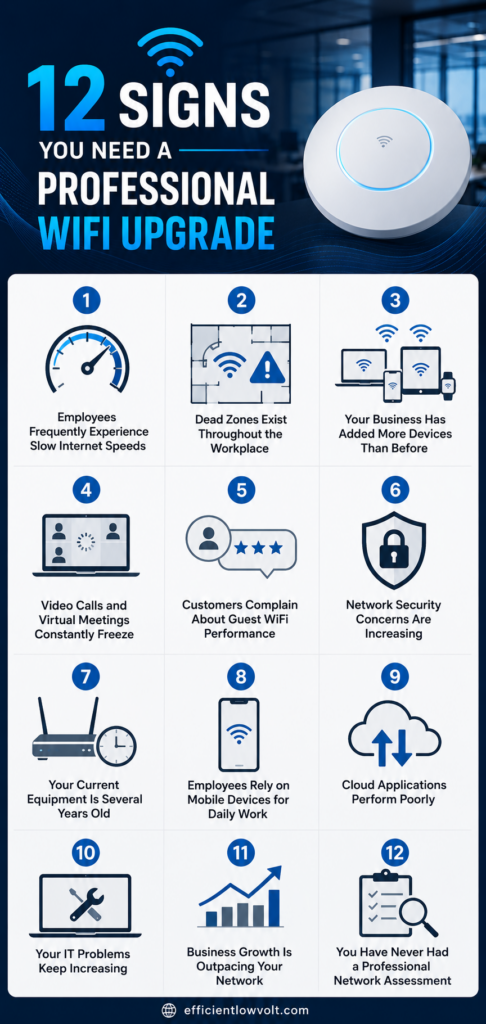
12 Signs You Need a Professional WiFi Upgrade
Modern businesses depend heavily on fast, stable, and secure internet connectivity to keep daily operations running smoothly. When the wireless network starts struggling to keep up with increasing demands, productivity, communication, and customer experience can all be affected. Recognizing early warning signs can help prevent costly disruptions and ensure your system continues to support your business as it grows.
1. Employees Frequently Experience Slow Internet Speeds
One of the most common signs of an outdated wireless system is consistently slow performance during everyday tasks.
Employees may notice delays when:
- Uploading or downloading files
- Accessing cloud-based software
- Joining video meetings
- Sending large email attachments
- Using collaborative online tools
As businesses adopt more digital platforms, network traffic naturally increases. Older WiFi systems often cannot handle the bandwidth requirements of modern workplaces, especially when dozens of devices are connected simultaneously.
A professional wifi upgrade can improve speed distribution, reduce congestion, and create a more stable experience for everyone connected to the network.
2. Dead Zones Exist Throughout the Workplace
Dead zones are areas where wireless signals become weak or completely unavailable. These problem spots are especially common in:
- Large office buildings
- Warehouses
- Multi-floor facilities
- Buildings with thick walls or metal structures
- Commercial spaces with complex layouts
Employees working in these areas may constantly disconnect from applications, struggle to load webpages, or lose communication during important meetings.
A professional assessment can identify signal gaps and determine whether additional access points, better equipment placement, or upgraded technology is necessary to provide full coverage.
3. Your Business Has Added More Devices Than Before
Modern businesses connect far more devices to wireless networks than they did just a few years ago. Beyond laptops and smartphones, networks now support:
- Tablets
- Smart TVs
- Printers
- Security cameras
- VoIP phones
- Smart sensors
- IoT devices
- Point-of-sale systems
Each additional device consumes bandwidth and increases demand on the network. Older routers and access points often struggle under this growing load.
If employees complain about dropped connections whenever more devices join the network, your system may no longer have the capacity required for efficient operations. A wifi upgrade can help your network scale properly as your business grows.
4. Video Calls and Virtual Meetings Constantly Freeze
Video conferencing has become essential for communication, remote collaboration, and client interactions. Unfortunately, unstable WiFi can quickly turn meetings into frustrating experiences.
Common signs include:
- Frozen video feeds
- Delayed audio
- Choppy communication
- Frequent call disconnections
- Poor streaming quality
These problems usually indicate inadequate bandwidth allocation or network congestion. Businesses that rely heavily on platforms like Zoom, Microsoft Teams, or Google Meet require stronger wireless infrastructure than older systems can provide.
A professionally designed network can prioritize critical applications and maintain smoother communication during high-demand periods.
5. Customers Complain About Guest WiFi Performance
Many businesses now offer guest WiFi as part of the customer experience. Restaurants, retail stores, hotels, clinics, and waiting areas often rely on wireless access to improve customer satisfaction.
However, poor guest network performance can create negative impressions.
Warning signs include:
- Slow loading times
- Constant login issues
- Weak signals in customer areas
- Frequent disconnections
- Complaints from visitors
If customers struggle to connect or experience unreliable service, it may reflect poorly on your business overall.
A professional wifi upgrade can separate guest traffic from internal operations while ensuring both networks perform efficiently and securely.
6. Network Security Concerns Are Increasing
Cybersecurity threats continue to evolve, and outdated wireless systems may leave businesses vulnerable to attacks.
Older WiFi hardware often lacks modern security features such as:
- WPA3 encryption
- Advanced firewall protections
- Network segmentation
- Secure guest access controls
- Device monitoring capabilities
Businesses handling sensitive customer information, financial records, or confidential company data need stronger wireless security than ever before.
If your network equipment is several years old, it may no longer receive firmware updates or protection against emerging threats. A professional upgrade helps improve both performance and network security.
7. Your Current Equipment Is Several Years Old
Technology changes rapidly, especially in wireless networking. If your routers or access points are outdated, they may not support current WiFi standards or device demands.
Older systems can cause:
- Slower speeds
- Limited device capacity
- Reduced range
- Increased downtime
- Compatibility issues with newer devices
Many businesses continue using equipment long after it becomes inefficient simply because it still functions at a basic level. However, ???working??? does not always mean ???working well.???
If your hardware is more than five years old, it may be time to evaluate whether a wifi upgrade would improve overall network reliability and performance.
8. Employees Rely on Mobile Devices for Daily Work
Today???s workforce is increasingly mobile. Employees move throughout offices using smartphones, tablets, and laptops instead of staying at fixed desks.
This shift requires seamless wireless roaming throughout the building. Without properly configured access points, users may experience:
- Dropped connections while moving
- Delayed syncing
- Interrupted calls
- Slow application performance
Businesses with flexible workspaces, shared offices, or hybrid environments especially benefit from professionally optimized wireless coverage.
A well-designed network ensures consistent connectivity across all work areas without interruptions.
9. Cloud Applications Perform Poorly
Cloud-based platforms now power many essential business operations, including:
- File storage
- Accounting systems
- CRM platforms
- Project management tools
- Collaboration software
- Data backups
Because these applications depend entirely on internet connectivity, unstable WiFi directly affects productivity.
Signs your network may be struggling include:
- Applications timing out
- Slow syncing
- Delayed updates
- Frequent logouts
- Long loading times
A professional wifi upgrade can improve bandwidth management and reduce the latency issues that often affect cloud services.
10. Your IT Problems Keep Increasing
Frequent network-related support requests often signal deeper infrastructure problems.
Recurring complaints may include:
- Random disconnections
- Devices failing to connect
- Slow internet during peak hours
- Network instability
- Difficulty accessing shared resources
When businesses repeatedly troubleshoot the same wireless issues without lasting improvement, the underlying network design may be outdated or insufficient.
Instead of constantly applying temporary fixes, upgrading the wireless infrastructure can address the root cause of these ongoing disruptions.
11. Business Growth Is Outpacing Your Network
As businesses expand, their wireless demands naturally increase. More employees, devices, software platforms, and connected systems place additional pressure on existing infrastructure.
Your network may have worked well when the company was smaller, but growth often reveals limitations over time.
Common growth-related issues include:
- Reduced speed during busy periods
- Network congestion
- Poor performance in newly added spaces
- Increased downtime
- Difficulty supporting remote workers
A scalable wifi upgrade prepares your business for future expansion rather than simply reacting to current problems.
12. You Have Never Had a Professional Network Assessment
Many businesses install wireless systems without conducting a proper site survey or long-term performance evaluation. As a result, access points may be poorly placed, signals may overlap incorrectly, and coverage gaps can go unnoticed.
Without professional planning, businesses often experience:
- Uneven coverage
- Interference problems
- Inconsistent speeds
- Security weaknesses
- Wasted bandwidth
A professional assessment evaluates factors such as:
- Building layout
- Device density
- Signal interference
- User behavior
- Bandwidth requirements
- Future scalability
This process helps identify whether your current setup truly meets your operational needs or if a wifi upgrade would significantly improve performance.
Why Outdated WiFi Can Hurt Business Productivity
Wireless issues do more than create temporary inconvenience. Over time, poor connectivity can negatively impact overall business performance.
Potential consequences include:
- Lower employee productivity
- Missed communication opportunities
- Delayed customer service
- Reduced operational efficiency
- Increased frustration among staff
- Higher IT maintenance costs
In customer-facing environments, unreliable internet can also affect reputation and customer satisfaction.
As businesses become increasingly digital, dependable wireless connectivity becomes a foundational requirement rather than a simple convenience.
What a Professional WiFi Upgrade Typically Includes
A professional upgrade involves much more than replacing a router. Modern wireless optimization focuses on designing a network that matches the specific needs of the business environment.
This may include:
- Wireless site surveys
- Strategic access point placement
- Network segmentation
- Capacity planning
- Security enhancements
- Bandwidth optimization
- Coverage expansion
- Device management solutions
The goal is to create a wireless environment that supports current operations while remaining adaptable for future growth.
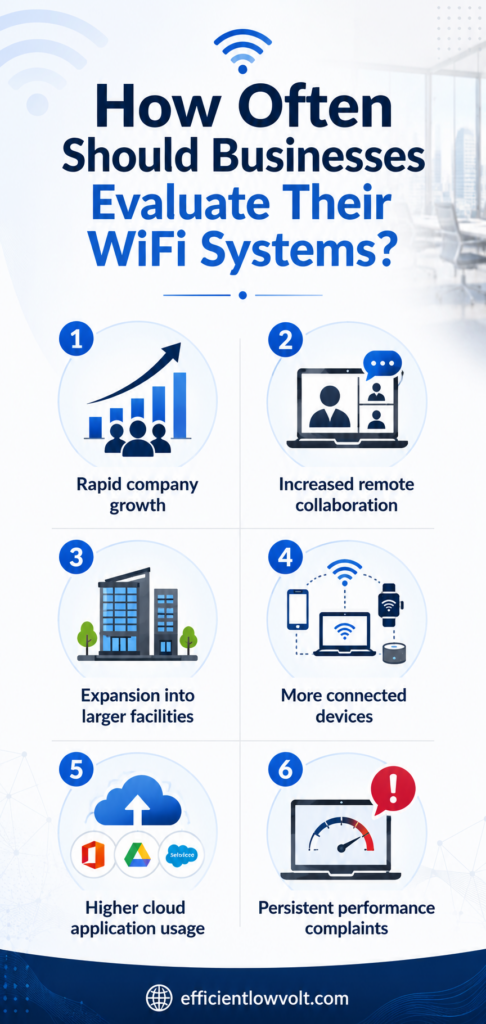
How Often Should Businesses Evaluate Their WiFi Systems?
There is no universal timeline, but most businesses benefit from reviewing their network infrastructure every few years.
Factors that may require earlier evaluation include:
- Rapid company growth
- Increased remote collaboration
- Expansion into larger facilities
- More connected devices
- Higher cloud application usage
- Persistent performance complaints
Regular assessments help businesses stay ahead of connectivity issues before they begin affecting operations.
Don???t Let Weak WiFi Slow Down Your Business Growth
A reliable wireless network plays a critical role in communication, collaboration, customer service, and daily productivity. While occasional connectivity problems may seem minor at first, recurring issues often indicate that your system can no longer support modern business demands.
Recognizing these warning signs early allows businesses to improve efficiency, strengthen security, and prepare for future growth with the right wifi upgrade strategy.
If your organization is experiencing slow speeds, dead zones, unstable video calls, or increasing device demands, it may be time to explore a professionally designed wireless solution. For businesses looking to improve reliability, coverage, and performance, Efficient Low Voltage Solutions & System Integration offers customized WiFi services built to support modern connectivity needs.