
Reliable internet access has become essential in modern homes and workplaces. From streaming entertainment and online gaming to cloud-based work applications and video conferencing, wireless networks now support nearly every part of daily life. As the number of connected devices continues to grow, many households and businesses experience frustrating slowdowns caused by wifi congestion.
Busy environments place significant pressure on wireless networks, especially when multiple devices compete for bandwidth simultaneously. A crowded network can lead to buffering, lagging video calls, dropped connections, and inconsistent speeds throughout a property. Understanding what causes wifi congestion and learning how to reduce it can help improve network performance, stability, and user experience in both residential and commercial settings.
What Is WiFi Congestion?
WiFi congestion occurs when too many devices, networks, or wireless signals compete for the same communication channels. Similar to traffic building up on a crowded road, data slows down when multiple devices attempt to send and receive information at the same time.
Wireless networks operate within limited frequency bands. When those bands become crowded with activity, performance suffers.
WiFi congestion commonly affects:
- Large households with many connected devices
- Multi-story office buildings
- Apartment complexes
- Coworking spaces
- Smart homes
- Retail businesses
- Conference rooms
When a network becomes overloaded, users may notice:
- Slow internet speeds
- Lag during online gaming
- Interrupted streaming
- Video conferencing delays
- Devices disconnecting unexpectedly
- Weak signals in certain rooms
- Delayed file uploads and downloads
The more devices connected to a network, the more challenging it becomes to maintain fast and stable wireless performance.
Why WiFi Congestion Happens More Often Today
Years ago, homes typically connected only a few devices to the internet. Today, even an average household may have dozens of active wireless connections operating simultaneously.
Modern connected devices include:
- Smartphones
- Tablets
- Laptops
- Smart TVs
- Gaming consoles
- Smart speakers
- Security cameras
- Video doorbells
- Streaming devices
- Smart thermostats
- Wireless printers
Office environments often place even greater strain on wireless networks because employees use cloud platforms, video meetings, VoIP systems, and large file transfers throughout the day.
In densely populated areas, nearby wireless networks also contribute to wifi congestion. Apartment buildings and office complexes may contain dozens of overlapping networks competing for the same channels.
As technology usage increases, network congestion has become a common challenge for both residential and commercial properties.
Signs Your Network May Be Experiencing WiFi Congestion
Not every internet issue comes from the internet provider itself. In many cases, the wireless network inside the building is the source of the problem.
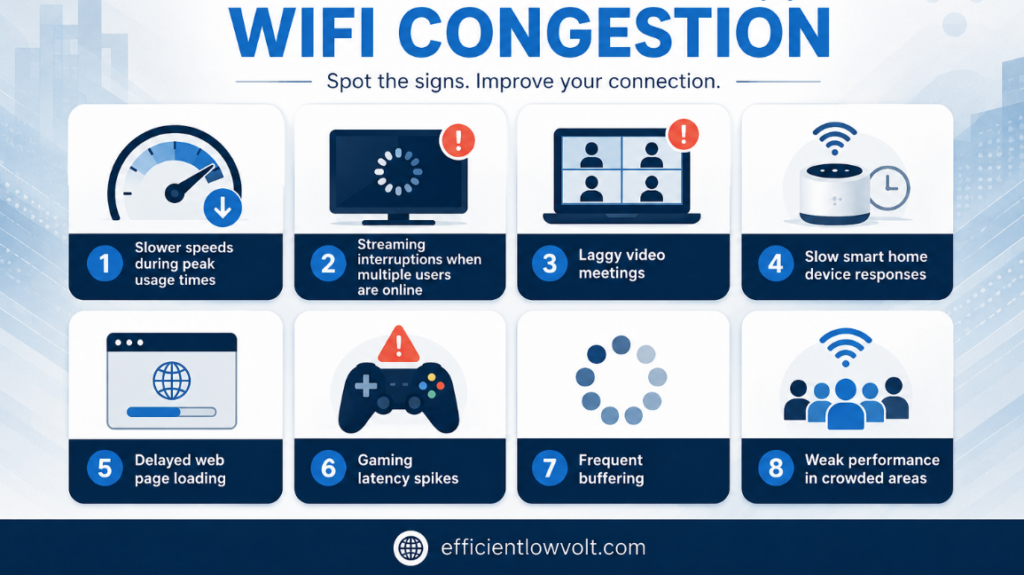
Common signs of wifi congestion include:
- Slower speeds during peak usage times
- Streaming interruptions when multiple users are online
- Laggy video meetings
- Slow smart home device responses
- Delayed web page loading
- Gaming latency spikes
- Frequent buffering
- Weak performance in crowded areas
If network performance consistently drops when many devices are connected at once, congestion is likely affecting the system.
Ways to Reduce WiFi Congestion in Busy Homes and Office Environments
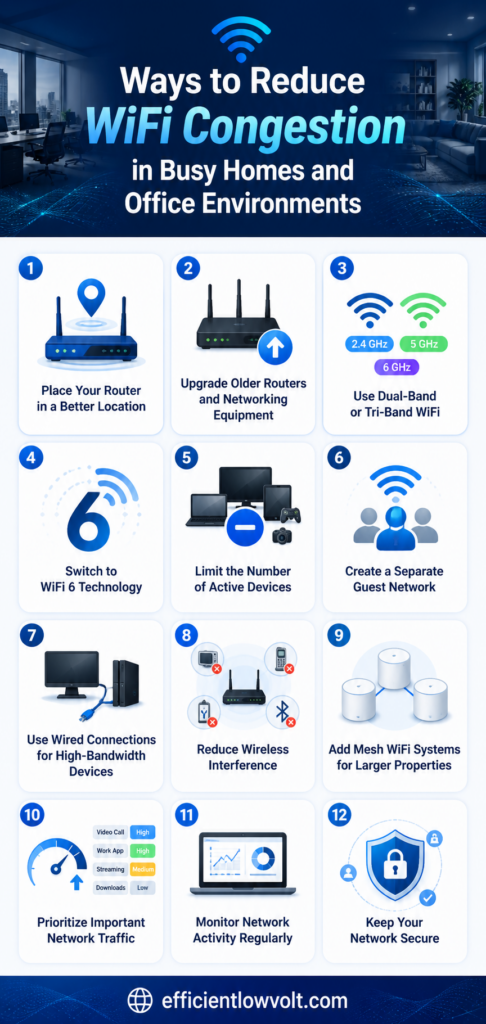
Busy wireless environments often struggle with slow speeds, unstable connections, and overloaded networks. Fortunately, several practical strategies can help reduce wifi congestion, improve overall performance, and create a more reliable internet experience for both homes and office spaces with multiple connected devices.
1. Place Your Router in a Better Location
Router placement plays a major role in wireless performance. Many people place routers in hidden corners, cabinets, or areas that are convenient rather than effective.
Poor placement can increase wifi congestion because devices struggle to maintain strong communication with the router.
For better coverage and signal quality:
- Place the router near the center of the building
- Keep it elevated off the floor
- Avoid placing it inside cabinets
- Keep it away from metal objects
- Position it far from microwaves and cordless phones
- Avoid thick walls whenever possible
A centrally located router helps distribute wireless coverage more evenly throughout the property.
2. Upgrade Older Routers and Networking Equipment
Older networking hardware often struggles to support the demands of modern wireless environments. Many outdated routers were designed before smart homes, cloud computing, and high-definition streaming became common.
Upgrading networking equipment can help reduce wifi congestion by improving:
- Device capacity
- Signal quality
- Traffic management
- Speed consistency
- Wireless efficiency
Modern routers are designed to support multiple simultaneous connections more effectively than older models.
Signs an upgrade may be needed include:
- Frequent connection drops
- Overheating hardware
- Slow speeds during busy periods
- Weak signal coverage
- Inconsistent device performance
Newer hardware often improves network responsiveness even without increasing internet speed.
3. Use Dual-Band or Tri-Band WiFi
Modern routers typically support multiple wireless frequency bands that help distribute network traffic more efficiently.
2.4 GHz Band
This band offers:
- Longer range
- Better wall penetration
- Slower speeds
- More interference
5 GHz Band
This band provides:
- Faster speeds
- Lower interference
- Better performance for streaming and gaming
- Shorter range
Tri-Band Systems
Tri-band routers include an additional 5 GHz band to support even more devices simultaneously.
Using multiple frequency bands helps reduce wifi congestion by spreading devices across separate channels rather than crowding them onto one network.
For example:
- Smart home devices may work well on 2.4 GHz
- Streaming devices can use 5 GHz
- Work laptops can operate on another dedicated band
This separation improves overall performance in busy environments.
4. Switch to WiFi 6 Technology
WiFi 6 is specifically designed to improve performance in crowded wireless environments. Unlike older wireless standards, WiFi 6 handles multiple devices more efficiently at the same time.
Benefits of WiFi 6 include:
- Better support for high device counts
- Lower latency
- Faster data handling
- Improved efficiency
- Better performance in busy environments
- Reduced network slowdowns
In offices and smart homes with many connected devices, WiFi 6 can significantly reduce wifi congestion and improve responsiveness.
Even if internet speeds remain the same, users often notice smoother and more reliable performance after upgrading.
5. Limit the Number of Active Devices
Many wireless networks become overloaded simply because too many devices remain connected at all times.
Devices that consume bandwidth in the background include:
- Security cameras
- Cloud backup services
- Smart TVs
- Streaming sticks
- Gaming consoles
- Software updates
- Smart appliances
Reducing unnecessary network activity can help improve performance for essential tasks.
Ways to reduce device strain include:
- Disconnect unused devices
- Schedule backups overnight
- Pause automatic updates during work hours
- Remove outdated smart devices
- Limit unnecessary streaming activity
Small adjustments can reduce traffic and improve overall wireless stability.
6. Create a Separate Guest Network
Guest devices can contribute heavily to wifi congestion, especially in offices or homes with frequent visitors.
Creating a dedicated guest network provides several advantages:
- Reduces strain on the primary network
- Improves security
- Separates visitor traffic
- Limits access to internal devices
Many routers also allow guest networks to have bandwidth restrictions, preventing visitors from consuming excessive resources.
In office environments, separating employee and guest traffic helps maintain consistent performance for business-critical operations.
7. Use Wired Connections for High-Bandwidth Devices
Not every device needs to rely on wireless connectivity. Ethernet connections provide more stable and consistent performance for devices that use large amounts of data.
Devices that benefit from wired connections include:
- Desktop computers
- Gaming consoles
- Smart TVs
- Office printers
- Video conferencing systems
- Network-attached storage devices
Moving high-bandwidth devices to wired connections reduces pressure on the wireless network and helps minimize wifi congestion.
Wired connections also reduce latency and improve reliability during demanding activities.
8. Reduce Wireless Interference
Wireless interference is another major contributor to network performance problems.
Common interference sources include:
- Microwaves
- Bluetooth devices
- Baby monitors
- Cordless phones
- Nearby routers
- Wireless cameras
In apartment complexes and office buildings, overlapping networks often compete for the same wireless channels.
To reduce interference:
- Keep routers away from electronic appliances
- Use the 5 GHz band when possible
- Change wireless channels if needed
- Upgrade to modern routers with automatic channel selection
Reducing interference helps improve communication between devices and reduces unnecessary retransmissions.
9. Add Mesh WiFi Systems for Larger Properties
Large homes and office spaces often struggle with uneven wireless coverage. Weak signal areas force devices to reconnect repeatedly, which can worsen wifi congestion.
Mesh WiFi systems solve this problem by using multiple access points throughout the property.
Benefits of mesh systems include:
- More consistent coverage
- Fewer dead zones
- Better roaming between rooms
- Improved signal reliability
- More balanced network traffic
Mesh systems are particularly helpful for:
- Multi-story homes
- Large office buildings
- Retail stores
- Warehouses
- Buildings with thick walls
Instead of depending on one router to cover an entire building, mesh systems distribute wireless coverage more effectively.
10. Prioritize Important Network Traffic
Quality of Service (QoS) settings allow certain activities to receive priority access to bandwidth.
For example, a home network may prioritize:
- Video streaming
- Online gaming
- Remote work applications
An office network may prioritize:
- Video conferencing
- Cloud software
- VoIP phone systems
Without prioritization, all devices compete equally for network resources, which can increase wifi congestion during busy periods.
QoS helps ensure critical activities maintain stable performance even when many devices are connected.
11. Monitor Network Activity Regularly
Many people never examine how their wireless network is performing until major problems appear.
Regular monitoring can help identify:
- Overloaded devices
- Peak usage periods
- Unauthorized users
- Weak coverage areas
- Performance bottlenecks
Modern routers often include monitoring tools that display real-time network activity.
Businesses may use advanced monitoring systems to analyze:
- Device density
- Channel interference
- Bandwidth consumption
- Access point performance
Monitoring helps detect problems early before they significantly affect productivity or user experience.
12. Keep Your Network Secure
Poor network security can increase wifi congestion if unauthorized users gain access to the network.
To improve security:
- Use strong passwords
- Enable WPA3 encryption if available
- Change default login credentials
- Update router firmware regularly
- Disable unused features
Secure networks prevent unnecessary bandwidth usage and reduce the risk of unauthorized activity affecting performance.
Know When Professional Network Design May Be Necessary
Some environments require more than simple router adjustments. Large offices, smart homes, retail spaces, and high-density properties often need professionally designed wireless systems.
Professional network planning may involve:
- Wireless coverage analysis
- Strategic access point placement
- Capacity planning
- Interference testing
- Performance optimization
Without proper planning, adding extra routers or extenders can sometimes make wifi congestion worse rather than better.
A well-designed network improves scalability, stability, and long-term wireless performance.
Stop Fighting Slow WiFi and Start Improving Network Performance Today
Wireless connectivity affects nearly every part of modern life, from entertainment and communication to productivity and business operations. As more devices compete for bandwidth, wifi congestion has become one of the most common causes of poor wireless performance in homes and offices.
Fortunately, many congestion-related problems can be improved through smarter network management, upgraded hardware, better device organization, and improved wireless coverage. Small changes such as relocating a router, separating devices across bands, or reducing interference can make a noticeable difference in performance.For larger or more demanding environments, professional network planning may provide the most reliable long-term solution. If your home or business continues to experience slow speeds, dropped connections, or inconsistent wireless coverage, contacting professionals like Efficient Low Voltage Solutions & System Integration can help you create a stronger, faster, and more dependable WiFi network built for modern connectivity demands.