Semantic Note: This article is part of our larger core curriculum. For a complete deep-dive, please refer to our master guide: Data Center Infrastructure & Management: The Complete 2026 Guide.
As businesses grow more dependent on digital systems, data center management becomes a critical part of maintaining performance, security, and uptime. Whether you’re running on-premise infrastructure, using colocation, or supporting hybrid environments, how your data center is managed directly impacts your daily operations.
But here???s what many businesses overlook:
Effective data center management doesn???t start with software???it starts with infrastructure.
In real-world environments, many ongoing ???management issues??? are actually the result of poor initial design???especially disorganized or outdated cabling systems that make even simple changes unnecessarily complex.
If your cabling is disorganized, your cooling is inefficient, or your layout isn???t scalable, even the best management tools won???t prevent downtime or performance issues.
This guide breaks down what data center management really involves???and how to build a system that stays reliable as your business grows.
What Is Data Center Management?
Data center management refers to the process of monitoring, maintaining, and optimizing all components of a data center environment, including:
- Network infrastructure
- Power systems
- Cooling systems
- Data Center Physical Security
- Servers and storage
- Cabling and connectivity
The goal is simple:
???? Ensure continuous uptime, efficient performance, and the ability to scale without disruption.
While many people associate management with dashboards and monitoring tools, the reality is this:
A well-managed data center is built on a well-designed physical foundation.
Why Data Center Management Matters for Business
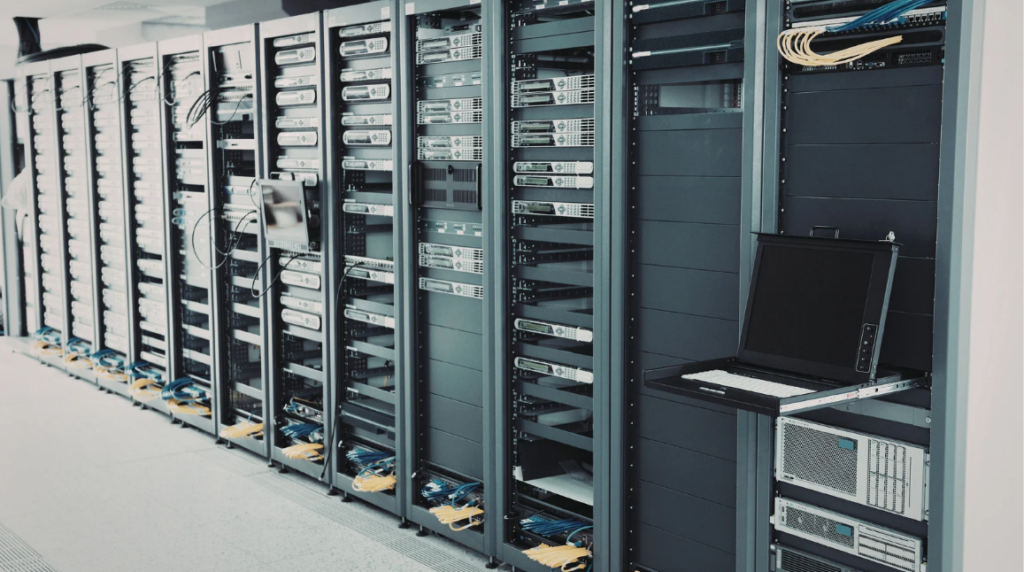
Poorly managed infrastructure doesn???t just cause technical issues???it impacts your entire business.
Key risks of weak data center management:
- Unexpected downtime and lost productivity
- Slower system performance
- Increased maintenance costs
- Security vulnerabilities
- Limited ability to scale
On the other hand, a properly managed data center allows you to:
- Maintain consistent uptime
- Support business growth
- Improve operational efficiency
- Reduce long-term costs
In short, management is what turns infrastructure into a reliable business asset???not a liability.
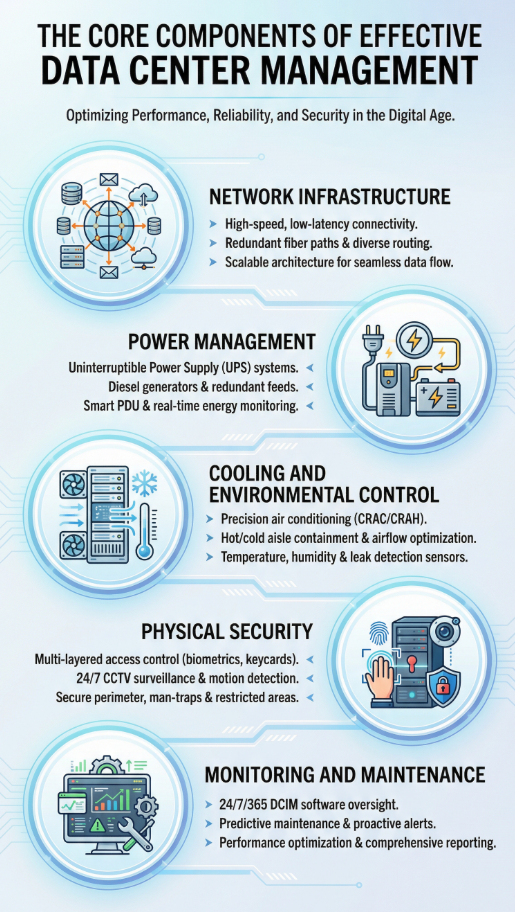
The Core Components of Effective Data Center Management
To manage a data center effectively, you need to understand its key operational layers.
1. Network Infrastructure
This includes switches, routers, and???most importantly???your structured cabling system.
A clean, organized cabling infrastructure:
- reduces troubleshooting time
- improves airflow
- supports scalability
Without it, even simple changes can become complex and risky.
2. Power Management
Reliable power systems are essential for uptime.
This includes:
- Uninterruptible Power Supplies (UPS)
- Backup generators
- Power distribution units (PDUs)
Proper management ensures systems stay online during outages and power fluctuations.
3. Cooling and Environmental Control
Heat is one of the biggest threats to data center performance.
Effective cooling strategies:
- prevent overheating
- extend equipment lifespan
- improve energy efficiency
Poor airflow or unmanaged heat zones can quickly lead to system failures.
4. Physical Security
Protecting your infrastructure physically is just as important as cybersecurity.
This includes:
- Access control systems
- Surveillance
- Secure racks and cabinets
Only authorized personnel should have access to critical systems.
5. Monitoring and Maintenance
Monitoring tools help track:
- temperature
- power usage
- network performance
But tools alone aren???t enough???regular maintenance is what keeps systems running smoothly over time.
The Role of Structured Cabling in Data Center Management
One of the most overlooked aspects of data center management is structured cabling.
It???s not just about connectivity???it directly affects:
- system performance
- airflow and cooling
- troubleshooting speed
- future scalability
Well-designed structured cabling provides:
- clear labeling and organization
- easier upgrades and expansions
- reduced risk of human error
Poor cabling, on the other hand, leads to:
- tangled infrastructure
- longer downtime during fixes
- limited flexibility as your business grows
???? This is why structured cabling is considered the foundation of manageable infrastructure.
In many cases, what businesses identify as a performance or management issue can be traced back to cabling???because when your infrastructure isn???t organized, every upgrade, repair, or expansion becomes slower, riskier, and more expensive.
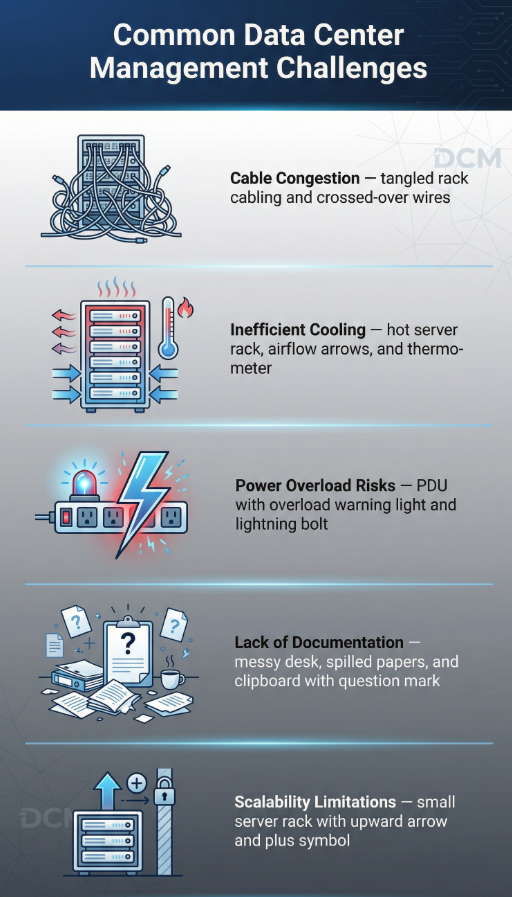
Common Data Center Management Challenges
Even well-built environments face challenges if not properly maintained.
1. Cable Congestion
Disorganized cabling restricts airflow and complicates maintenance, often making it difficult to trace connections or perform quick upgrades without disrupting other systems.
2. Inefficient Cooling
Hot spots develop when airflow is not properly managed, leading to uneven temperatures that can reduce equipment lifespan and increase the risk of unexpected shutdowns.
3. Power Overload Risks
Improper load balancing can lead to system failures, especially when circuits are pushed beyond capacity or backup systems are not properly configured to handle peak demand.
4. Lack of Documentation
Without proper labeling and records, troubleshooting becomes time-consuming, increasing downtime as technicians spend valuable time identifying connections and system dependencies.
5. Scalability Limitations
Infrastructure that wasn???t designed for growth quickly becomes outdated, making expansions more complex, costly, and disruptive than necessary.
Most of these issues trace back to one root cause:
???? Poor planning during the initial infrastructure setup.
Best Practices for Effective Data Center Management
To maintain a reliable and scalable data center, follow these proven strategies that help prevent issues before they start and keep operations running smoothly over time:
1. Design for Scalability from the Start
Plan infrastructure that can grow with your business???not just meet current needs???so you can expand capacity without major redesigns or costly disruptions later on.
2. Invest in Structured Cabling
Organized cabling simplifies management and reduces long-term costs by making it easier to trace connections, perform upgrades, and maintain consistent performance across your network.
3. Separate Hot and Cold Air Paths
Improve cooling efficiency with proper airflow design, reducing heat buildup and ensuring equipment operates within safe temperature ranges.
4. Implement Proactive Monitoring
Identify issues before they become critical problems by continuously tracking system performance, temperature, and power usage in real time.
5. Maintain Clear Documentation
Label everything and keep records updated for faster troubleshooting, allowing your team to quickly locate connections and resolve issues with minimal downtime.
6. Schedule Regular Maintenance
Routine inspections prevent unexpected failures by catching wear, inefficiencies, or risks early before they impact operations.
The Link Between Infrastructure and Long-Term Performance
Here???s the reality most businesses discover too late:
You can???t ???manage your way out??? of poor infrastructure.
This is why companies that invest in properly designed structured cabling from the start experience fewer disruptions, faster troubleshooting, and significantly more predictable growth over time.
No software or monitoring tool can fix:
- messy cabling
- poor layout design
- inadequate cooling
- limited capacity planning
That???s why successful data center management always starts with:
???? Proper design, installation, and organization
When your infrastructure is built correctly, management becomes easier, faster, and more predictable.
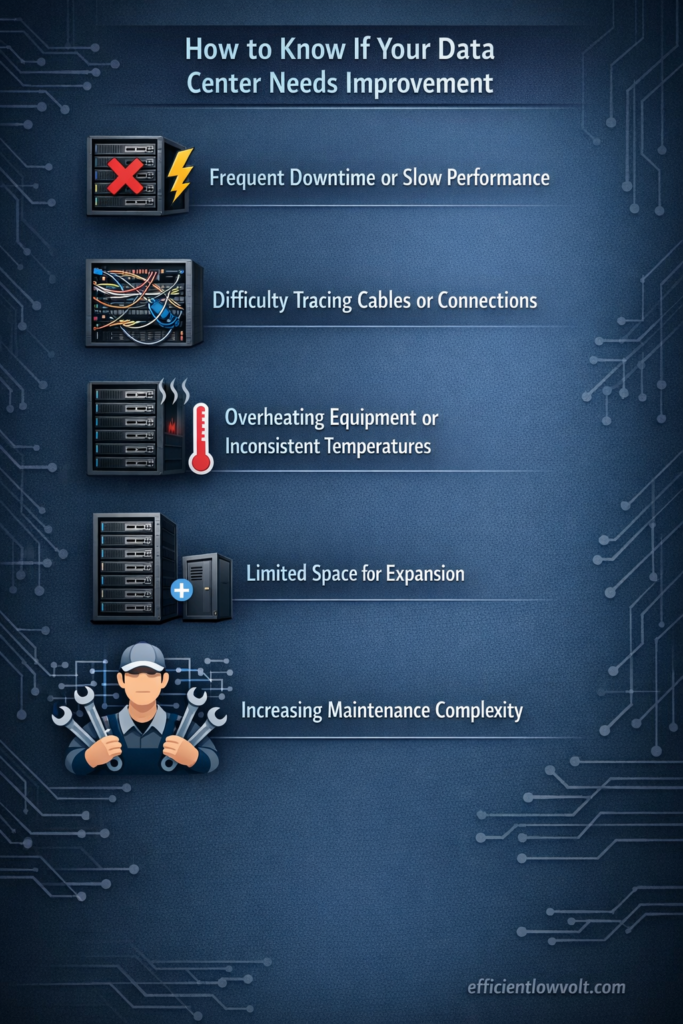
How to Know If Your Data Center Needs Improvement
You may need to reassess your data center setup if you notice recurring performance, organization, or scalability issues that suggest underlying infrastructure limitations:
- Frequent downtime or slow performance ??? Systems experience interruptions or lag that impact productivity, often pointing to underlying infrastructure strain rather than isolated software issues.
- Difficulty tracing cables or connections ??? Troubleshooting becomes time-consuming because cable paths are unclear, unorganized, or poorly labeled, slowing down even simple maintenance tasks.
- Overheating equipment or inconsistent temperatures ??? Certain areas of the data center run hotter than others, indicating poor airflow design or inadequate cooling distribution.
- Limited space for expansion ??? Physical or logical layout constraints make it difficult to add new equipment without reorganizing existing systems.
- Increasing maintenance complexity ??? Routine tasks take longer and require more effort due to lack of structure, documentation, or standardized installation practices.
These are signs that your infrastructure???and not just your management???needs attention.
Summary and Next Steps
Effective data center management is not just about monitoring systems???it is about building and maintaining an infrastructure that supports reliability, scalability, and long-term performance. From structured cabling and power distribution to cooling and security, every component must work together to create a stable and efficient environment that can grow with your business.
3???5 realistic next steps you can take
- Evaluate your current infrastructure layout and identify inefficiencies
- Assess your cabling organization and scalability readiness
- Review cooling and airflow performance
- Ensure proper documentation and labeling are in place
- Consult with infrastructure experts before scaling or upgrading
In the end, strong data center management starts with a solid foundation. If your infrastructure is built right, everything else becomes easier to maintain and scale. Efficient Low Voltage Solutions & System Integration specializes in structured cabling and data infrastructure systems designed for performance, organization, and long-term growth???helping your business eliminate downtime risks and build a data environment that???s ready for what???s next.
Related Resources
Cabling Best Practices
In modern digital environments, the performance of an entire IT infrastructure often depends on something that is easy to overlook: data center cabling. While servers, storage systems, and networking hardware receive most of the attention, the way cables are organized, routed, and maintained plays a critical role in uptime, efficiency, and scalability.
Poorly planned data center cabling can lead to airflow restrictions, troubleshooting delays, signal interference, and unnecessary downtime. On the other hand, a well-structured cabling system improves operational efficiency, reduces maintenance complexity, and supports future expansion without major redesigns.
As businesses continue to scale their digital operations, demand for faster, more reliable infrastructure increases. This makes cabling design not just a technical detail but a foundational element of data center success.
What is Data Center Cabling?
Data center cabling refers to the structured system of physical cables that connect servers, storage devices, networking equipment, and power systems within a data center. It includes fiber optic cables, copper Ethernet cables, and power distribution lines that together enable seamless communication and operation.
Unlike simple office networking setups, data center cabling must support:
- High-density equipment configurations
- Continuous 24/7 uptime requirements
- High-speed data transmission
- Scalable infrastructure growth
There are generally two main types:
- Copper cabling ??? commonly used for shorter distances and cost-effective connections
- Fiber optic cabling ??? used for high-speed, long-distance, and high-bandwidth requirements
A properly engineered cabling system ensures that all components work together efficiently without bottlenecks or performance loss.
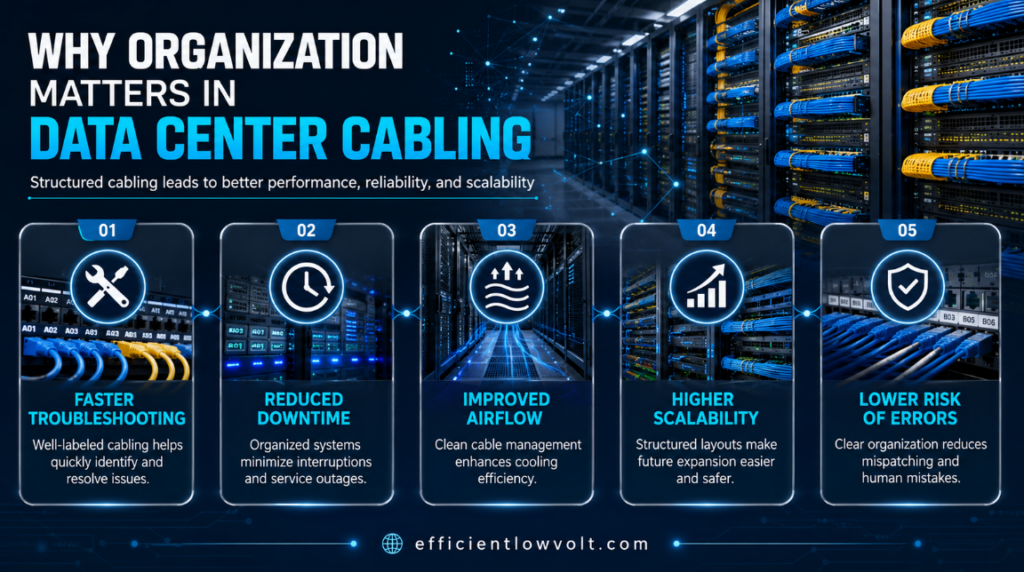
Why Organization Matters in Data Center Cabling
Organization is not just aesthetic???it directly impacts performance and reliability. Disorganized cabling can create serious operational challenges that affect the entire infrastructure.
Key reasons organization is essential:
- Faster troubleshooting ??? Technicians can quickly trace connections without confusion
- Reduced downtime ??? Clear layouts minimize repair and maintenance time
- Improved airflow ??? Proper routing prevents cable clutter that blocks cooling systems
- Higher scalability ??? Organized systems make it easier to add or remove equipment
- Lower risk of errors ??? Reduces accidental unplugging or misconfiguration
Well-planned data center cabling also improves safety by minimizing trip hazards and reducing strain on connectors and ports.
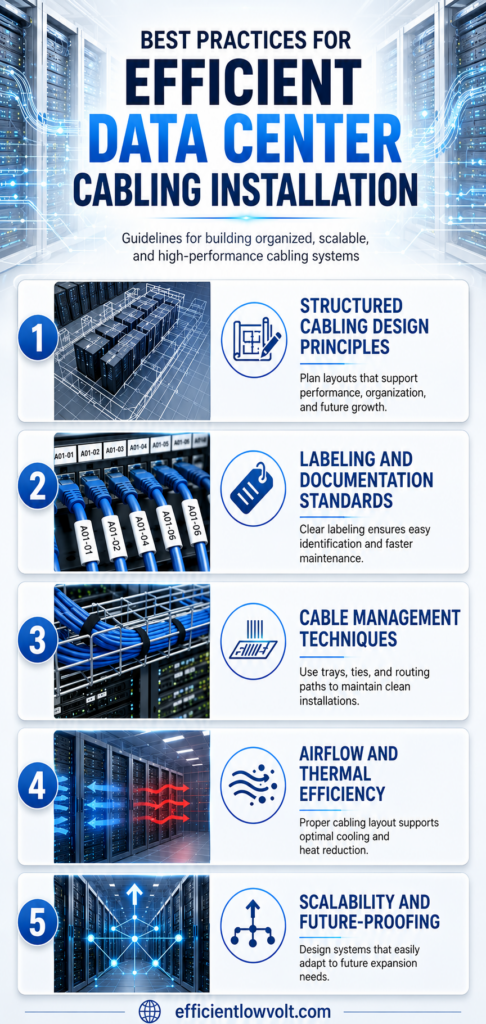
Best Practices for Efficient Data Center Cabling Installation
A well-designed cabling system follows a set of proven principles that ensure performance, scalability, and long-term reliability. These practices are essential for any modern IT environment.
1. Structured Cabling Design Principles
A structured approach ensures consistency and long-term reliability in data center cabling systems. Instead of random connections, structured cabling uses standardized layouts and hierarchical organization.
Key principles include:
- Designing with modular architecture for easy expansion
- Separating power and data lines to avoid interference
- Using standardized rack layouts across all systems
- Planning pathways before installation begins
- Maintaining consistent cable lengths where possible
A structured design reduces complexity and ensures that future upgrades do not require complete system redesigns.
2. Labeling and Documentation Standards
Clear labeling is one of the most overlooked yet critical aspects of data center cabling. Without proper documentation, even simple maintenance tasks can become time-consuming and error-prone.
Best practices include:
- Label both ends of every cable clearly
- Use consistent naming conventions across the facility
- Maintain updated digital network maps
- Document all changes immediately after implementation
- Include rack positions and port numbers in labels
Accurate documentation ensures that any technician can understand the system layout without guesswork, improving operational efficiency.
3. Cable Management Techniques
Proper cable management directly impacts both performance and maintenance. In high-density environments, unmanaged cables can quickly become a major issue.
Effective techniques include:
- Using cable trays and overhead routing systems
- Separating cables by type and function
- Applying Velcro ties instead of plastic zip ties to avoid damage
- Maintaining gentle bends to prevent signal loss
- Grouping cables into organized bundles
Color coding is also commonly used in data center cabling to distinguish between power, storage, and network connections, making identification faster and easier.
4. Airflow and Thermal Efficiency
One of the hidden impacts of poor cabling is restricted airflow. Excess cables or poorly routed bundles can block cooling paths, causing equipment to overheat.
To improve thermal efficiency:
- Route cables along designated pathways instead of across airflow channels
- Avoid blocking front-to-back cooling paths in server racks
- Keep cable bundles tight but not overcrowded
- Use blanking panels to maintain proper airflow direction
- Regularly inspect for cable buildup in high-density racks
Efficient data center cabling design supports cooling systems, reduces energy consumption, and helps maintain stable operating temperatures.
5. Scalability and Future-Proofing
Modern infrastructure must be built with future growth in mind. A scalable cabling system ensures that expansion does not require complete redesigns.
Key strategies include:
- Installing extra cable capacity during initial deployment
- Using modular patch panels for flexibility
- Planning for higher bandwidth requirements
- Supporting both current and next-generation hardware
- Designing pathways that allow easy cable additions
Future-ready data center cabling systems reduce long-term costs and minimize disruption during upgrades.
Common Mistakes in Data Center Cabling
Even well-planned systems can fail if small but critical errors occur during installation, organization, or ongoing maintenance. In many cases, these issues build up gradually and only become noticeable when performance problems or downtime start affecting operations.
Common issues include:
- Overcrowded cable bundles: Excessive cable density in racks or trays restricts airflow, makes troubleshooting difficult, and increases the risk of accidental damage during maintenance work.
- Inconsistent or missing labeling systems: Poor labeling or unmarked cables create confusion during repairs or upgrades, leading to longer downtime and higher chances of human error.
- Mixing power and data cables in the same pathway: Running power and data lines together can introduce electromagnetic interference, which may reduce network stability and overall performance.
- Using low-quality cables that degrade performance: Substandard or non-certified cables may lead to signal loss, reduced transmission speeds, and frequent replacement needs over time.
- Lack of documentation for changes over time: Without updated records of modifications, it becomes difficult for technicians to understand the current layout, slowing down troubleshooting and planning.
- Ignoring bend radius requirements for fiber cables: Sharp bends or improper handling of fiber cables can cause signal degradation or permanent damage, affecting high-speed data transmission.
Impact of these mistakes
These issues often lead to higher maintenance costs, reduced performance efficiency, increased troubleshooting time, and more frequent system downtime, especially in high-density data center cabling environments.
Maintenance and Testing Practices
Ongoing maintenance is essential to keep data center cabling systems performing at a stable and efficient level throughout their lifecycle. Even when installation is done correctly, wear and environmental factors can gradually affect performance if not regularly monitored.
Recommended practices:
- Conduct regular physical inspections of cable integrity: Routine visual checks help identify frayed cables, loose connections, improper routing, or physical damage before they escalate into larger network issues.
- Test network performance to detect signal loss or interference: Periodic performance testing ensures that data transmission remains stable and helps identify hidden issues such as attenuation or electromagnetic interference.
- Replace damaged or aging cables promptly: Cables degrade over time due to heat, handling, or environmental stress, so replacing compromised components quickly prevents unexpected downtime.
- Audit documentation to ensure accuracy: Keeping cabling maps and records updated ensures technicians always have a clear understanding of the current infrastructure layout during troubleshooting or upgrades.
- Monitor for heat buildup or airflow disruptions: Regular thermal checks help ensure that cable arrangements are not obstructing cooling systems or contributing to overheating within racks.
Importance of consistent upkeep
Routine maintenance helps prevent small issues from turning into major system failures, ensuring that data center cabling continues to support reliable performance, efficient operations, and long-term infrastructure stability.
Keep Your Infrastructure Ready for Tomorrow???s Demands
In a fast-evolving digital landscape, infrastructure decisions made today determine performance tomorrow. A well-designed cabling system is not just about organization???it is about resilience, efficiency, and adaptability.
Strong data center cabling practices ensure that systems remain stable under increasing workloads, support future technologies, and reduce long-term operational risk. Whether scaling operations or optimizing existing infrastructure, cabling quality plays a central role in overall performance.
As demand for reliable and high-speed digital systems continues to grow, organizations that invest in structured, future-ready cabling will always stay ahead in efficiency and stability.
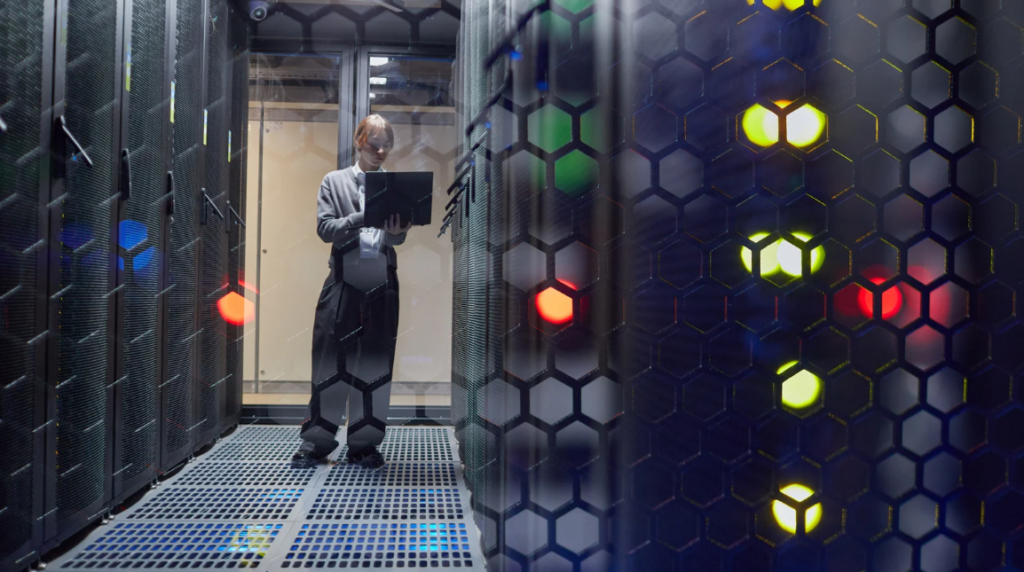
Powering Smarter Infrastructure for a Connected Future
Reliable infrastructure begins with smart planning, precise execution, and systems designed to evolve with technology. When data center cabling is engineered with scalability and efficiency in mind, it becomes the backbone of uninterrupted digital performance.
For organizations looking to strengthen their infrastructure with professionally designed and optimized data environments, Efficient Low Voltage Solutions & System Integration provides expert support in building reliable, scalable, and high-performance systems tailored to modern business needs.
Related Resources
Maintenance & Predictive Analytics
Reliable data center operations don???t happen by chance???they are the result of consistent maintenance, proactive monitoring, and strategic planning.
For businesses that rely on data centers to support critical operations, downtime is more than an inconvenience. It can lead to financial losses, operational disruptions, and reputational damage. As organizations increasingly depend on digital infrastructure, maintaining a resilient and efficient data center environment has become a top priority for business owners and IT leaders alike.
Effective maintenance goes beyond simply fixing issues when they arise. Modern data centers require structured maintenance routines, real-time monitoring, and advanced technologies such as predictive analytics to anticipate potential failures before they impact operations.
This guide explores data center maintenance best practices???from daily inspections to predictive maintenance strategies???to help business owners keep their infrastructure reliable, secure, and operating at peak performance.
Why Data Center Maintenance Is Critical for Business Continuity
Data centers support a wide range of critical business functions, including:
- Application hosting
- Data storage and backup
- Cloud services
- Security and surveillance systems
- Communication platforms
When these systems fail, the consequences can be severe.
Poorly maintained data centers may experience:
- Unexpected equipment failure
- Network interruptions
- Data loss
- Increased operational costs
- Reduced system performance
By implementing a structured maintenance plan, businesses can reduce risks, extend equipment lifespan, and maintain consistent service availability.
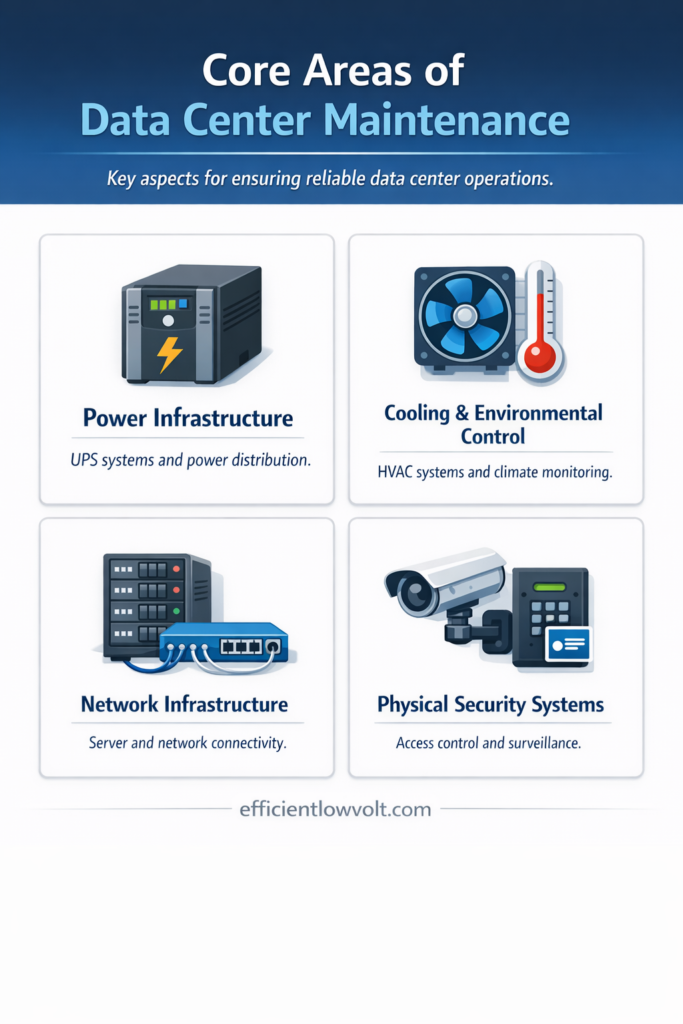
Core Areas of Data Center Maintenance
A comprehensive maintenance program should cover several key infrastructure components.
Power Infrastructure
Power systems are the backbone of every data center. Even brief interruptions can cause significant disruptions.
Critical power components include:
- Uninterruptible Power Supply (UPS) systems
- Power Distribution Units (PDUs)
- Backup generators
- Electrical panels and circuit breakers
Routine maintenance ensures these systems can handle sudden power fluctuations and outages.
Cooling and Environmental Control
Servers generate significant heat during operation. Without proper cooling, hardware components may overheat, leading to failures or performance degradation.
Cooling maintenance should include:
- Inspection of CRAC and CRAH units
- Airflow management within server racks
- Monitoring of temperature and humidity levels
- Cleaning filters and ventilation systems
Maintaining optimal environmental conditions helps protect hardware investments and maintain operational efficiency.
Network Infrastructure
Data center networks enable communication between servers, applications, and external users.
Maintenance tasks should focus on:
- Structured cabling inspections
- Switch and router performance checks
- Network redundancy verification
- Bandwidth monitoring
A well-maintained network infrastructure ensures consistent connectivity and minimal latency.
Physical Security Systems
Security is another essential aspect of data center maintenance.
Protective measures may include:
- Access control systems
- Surveillance cameras
- Biometric authentication systems
- Environmental monitoring sensors
Regular testing ensures these systems function correctly and prevent unauthorized access.
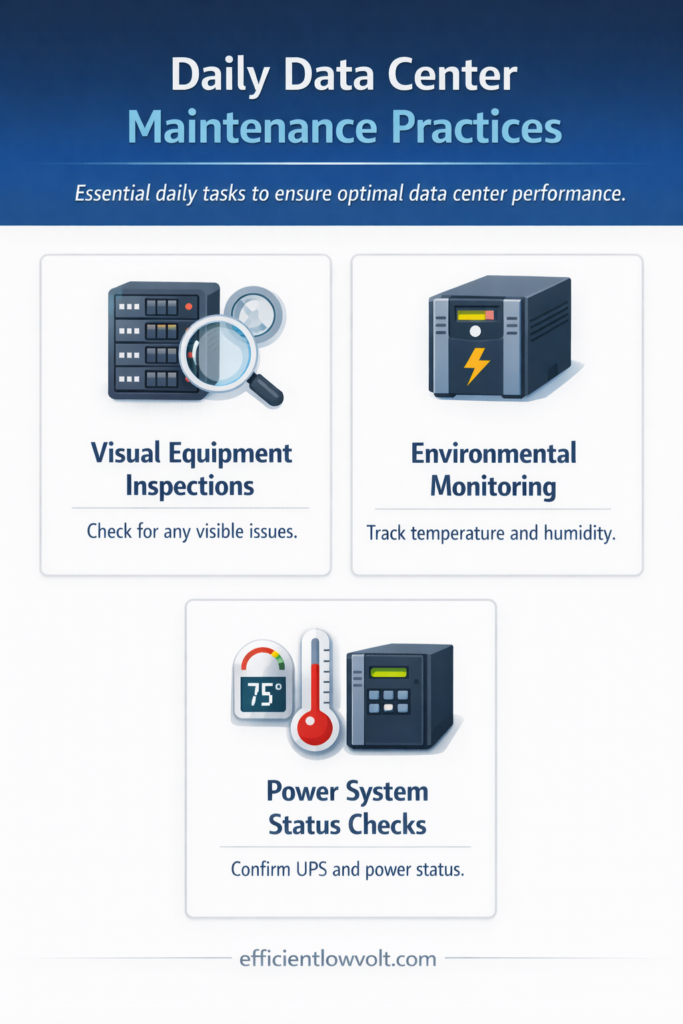
Daily Data Center Maintenance Practices
Daily maintenance activities play a crucial role in detecting potential issues early.
These routine checks may seem simple, but they help prevent small problems from escalating into major outages.
1. Visual Equipment Inspections
Technicians should perform quick visual inspections of critical equipment each day.
Look for:
- Warning lights on servers or network equipment
- Unusual sounds from cooling systems
- Loose cables or damaged connectors
- Signs of overheating
Even minor irregularities may indicate larger underlying problems.
2. Environmental Monitoring
Maintaining stable environmental conditions is vital for data center reliability.
Daily monitoring should include:
- Temperature readings across server racks
- Humidity levels
- Airflow patterns
- Detection of potential hot spots
Many modern data centers use automated monitoring tools that alert technicians when conditions exceed acceptable thresholds.
3. Power System Status Checks
Daily checks should verify that power systems remain stable and operational.
This includes reviewing:
- UPS battery status
- Generator readiness
- Power load distribution
- Electrical alarms or fault notifications
These quick checks help ensure that backup systems will function properly in the event of a power disruption.
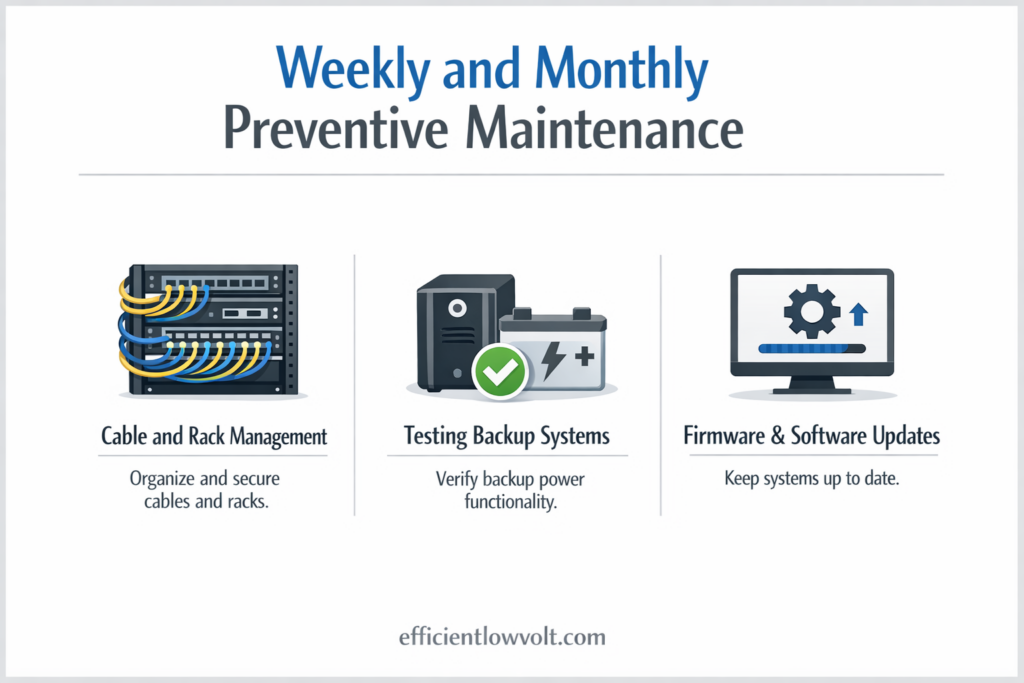
Weekly and Monthly Preventive Maintenance
While daily checks focus on immediate operational health, weekly and monthly maintenance tasks provide deeper system validation.
1. Cable and Rack Management
Organized cabling helps prevent network issues and simplifies troubleshooting.
Best practices include:
- Verifying cable labeling and documentation
- Securing loose cables
- Ensuring proper airflow around racks
- Removing unused or obsolete connections
Proper cable management also improves airflow efficiency, which supports cooling performance.
2. Testing Backup Systems
Backup systems must be ready to perform at any moment.
Routine testing should include:
- Generator startup tests
- UPS failover simulations
- Power transfer switch verification
These tests ensure that emergency systems operate correctly when needed.
3. Firmware and Software Updates
Outdated firmware can introduce security vulnerabilities and performance issues.
Maintenance teams should regularly update:
- Server firmware
- Network switch software
- Security systems
- Monitoring tools
Updates should be carefully scheduled to avoid operational disruptions.
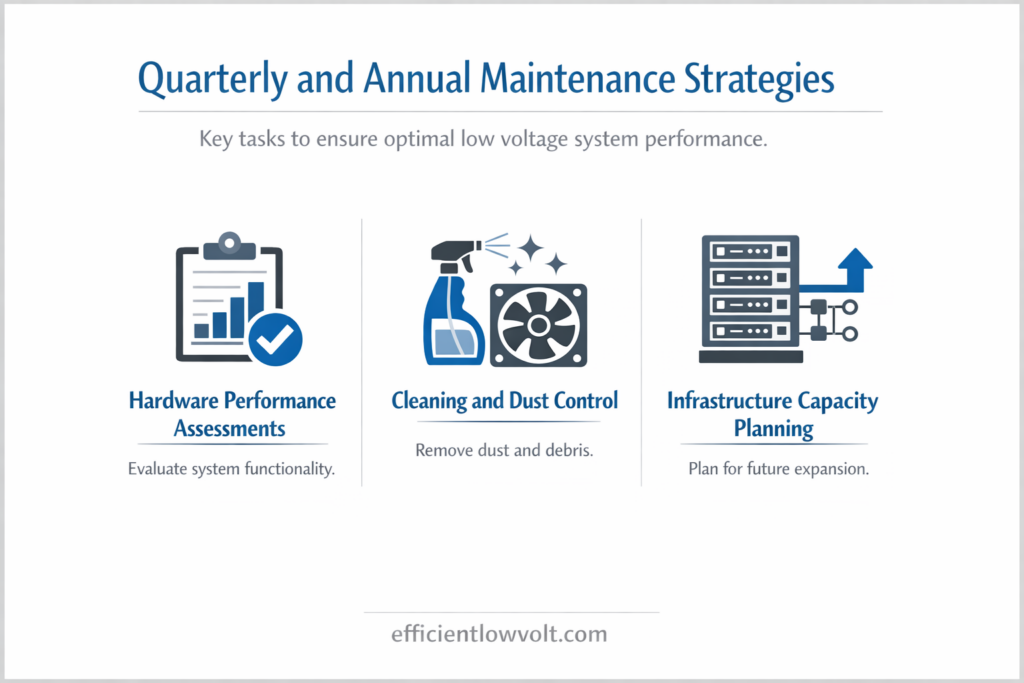
Quarterly and Annual Maintenance Strategies
Long-term maintenance activities focus on deep inspections, system optimization, and hardware lifecycle management.
1. Hardware Performance Assessments
Over time, hardware components naturally degrade.
Quarterly inspections should evaluate:
- Disk health and storage performance
- Processor and memory utilization
- Network throughput capacity
- Cooling system efficiency
This helps identify aging equipment that may require replacement.
2. Cleaning and Dust Control
Dust accumulation is a common but often overlooked risk in data centers.
Maintenance teams should:
- Clean air filters and vents
- Inspect raised floor areas
- Remove dust buildup from server components
- Verify that airflow pathways remain unobstructed
Even small dust particles can restrict airflow and lead to overheating.
3. Infrastructure Capacity Planning
Business growth often increases demand on data center infrastructure.
Annual planning should evaluate:
- Storage capacity needs
- Network bandwidth requirements
- Power and cooling expansion
- Rack space utilization
This proactive planning prevents capacity shortages that could disrupt operations.
The Role of Monitoring Systems in Data Center Maintenance
Modern data centers rely heavily on monitoring technologies to maintain operational visibility.
Monitoring systems provide real-time insights into infrastructure performance.
Common monitoring capabilities include:
- Power consumption tracking
- Temperature and humidity sensors
- Network traffic analysis
- Equipment health diagnostics
These systems allow IT teams to detect abnormalities early and take corrective action quickly.
Real-time monitoring also enables automated alerts, ensuring that maintenance teams can respond immediately when issues arise.
Moving Beyond Preventive Maintenance with Predictive Analytics
Traditional maintenance models rely on scheduled inspections and routine servicing.
However, emerging technologies now allow organizations to adopt predictive maintenance strategies that anticipate failures before they occur.
What Is Predictive Maintenance?
Predictive maintenance uses data analysis, sensors, and machine learning algorithms to identify patterns that signal potential equipment failures.
Instead of waiting for systems to break or relying solely on scheduled servicing, predictive maintenance enables businesses to repair components only when necessary???before they fail.
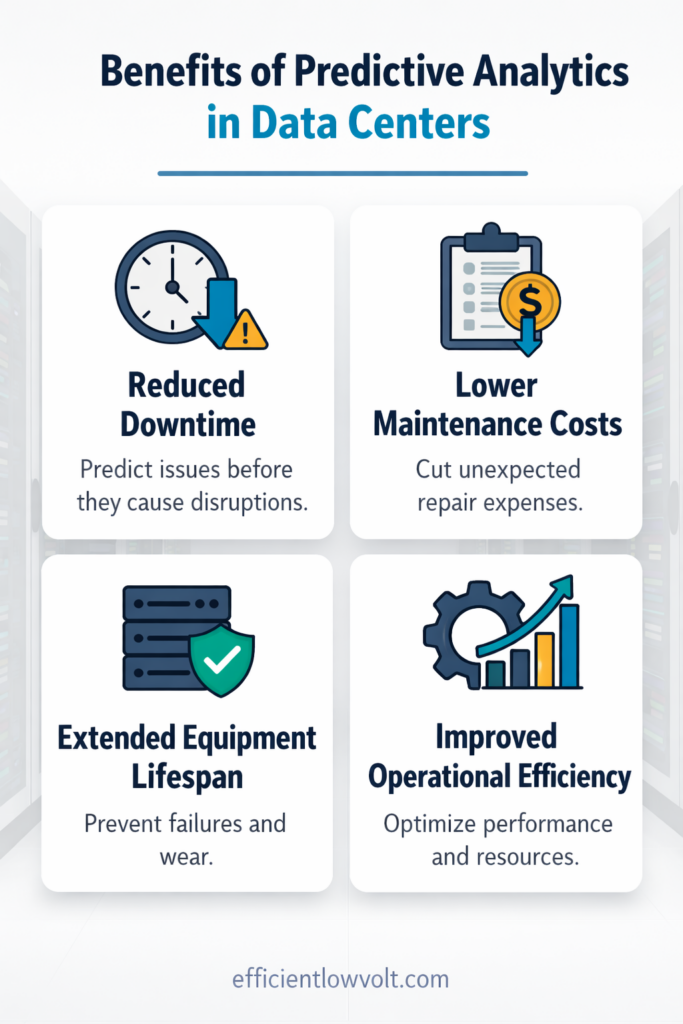
Benefits of Predictive Analytics in Data Centers
Adopting predictive maintenance strategies can offer several advantages.
1. Reduced Downtime
Predictive tools identify early warning signs of hardware issues, allowing technicians to resolve problems before they disrupt operations.
2. Lower Maintenance Costs
By focusing maintenance efforts where they are needed most, businesses can reduce unnecessary servicing and equipment replacement.
3. Extended Equipment Lifespan
Proactive maintenance prevents excessive wear and stress on infrastructure components.
4. Improved Operational Efficiency
Data-driven insights help IT teams make smarter decisions about infrastructure management.
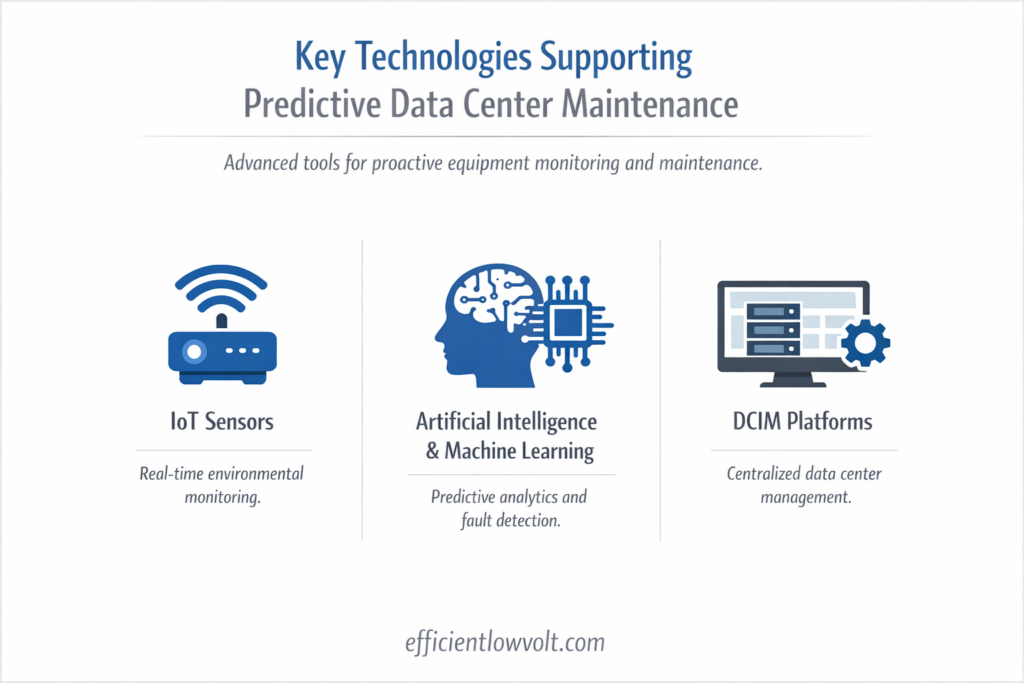
Key Technologies Supporting Predictive Data Center Maintenance
Several technologies support predictive maintenance initiatives.
IoT Sensors
Internet of Things (IoT) sensors collect real-time data from equipment across the data center.
These sensors monitor:
- Temperature fluctuations
- Power consumption
- Vibration levels
- Environmental conditions
Continuous data collection allows organizations to detect abnormalities before failures occur.
Artificial Intelligence and Machine Learning
AI-powered analytics platforms process massive volumes of operational data.
Machine learning algorithms can:
- Identify performance trends
- Predict component failure timelines
- Detect anomalies in system behavior
These insights allow IT teams to take proactive maintenance actions.
Data Center Infrastructure Management (DCIM) Platforms
DCIM platforms provide centralized visibility across the entire data center environment.
They allow teams to:
- Track equipment performance
- Monitor capacity utilization
- Analyze energy efficiency
- Manage maintenance schedules
When integrated with predictive analytics, DCIM systems provide powerful insights for long-term infrastructure management.
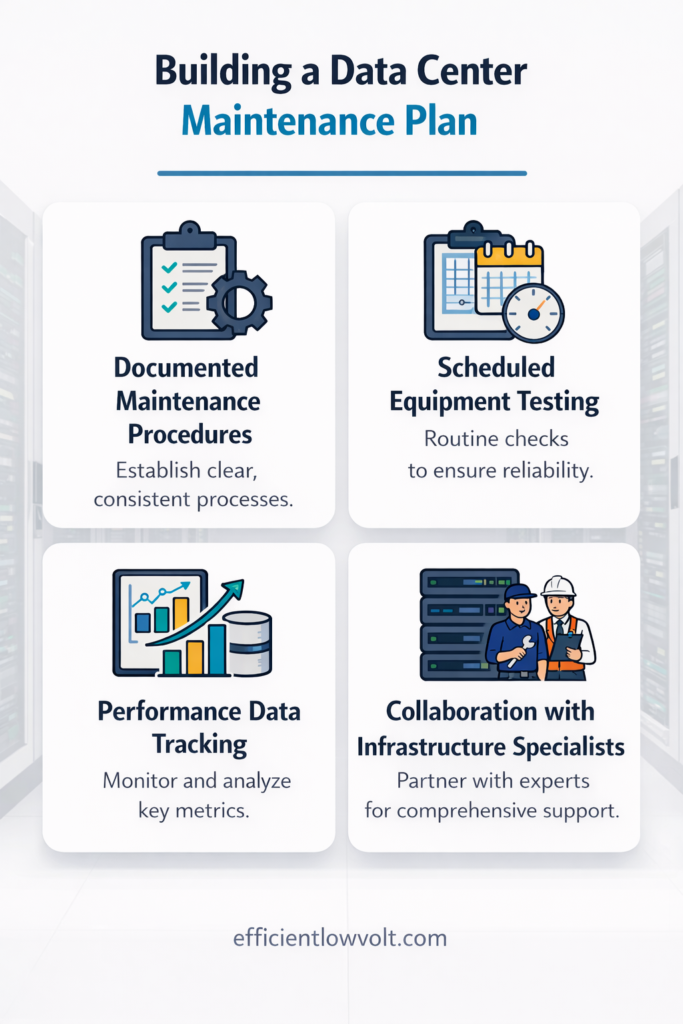
Building a Data Center Maintenance Plan
To maximize reliability, businesses should develop a structured maintenance framework that includes both routine procedures and advanced monitoring strategies.
A comprehensive maintenance plan should include:
1. Documented Maintenance Procedures
Clear documentation ensures consistency in maintenance activities.
Maintenance plans should outline:
- Daily, weekly, and monthly tasks
- Equipment inspection checklists
- Emergency response procedures
2. Scheduled Equipment Testing
Regular testing verifies that critical systems remain operational.
Testing schedules may include:
- Power failover drills
- Cooling system stress tests
- Network redundancy validation
3. Performance Data Tracking
Tracking operational data helps teams identify patterns and trends over time.
Key metrics to monitor include:
- Energy consumption
- Equipment temperature levels
- Network latency
- System uptime statistics
4. Collaboration with Infrastructure Specialists
Working with experienced infrastructure professionals helps businesses implement advanced maintenance strategies while ensuring compliance with industry standards.
Professional partners can also assist with:
- Infrastructure assessments
- system upgrades
- monitoring solutions
- long-term maintenance planning
Common Data Center Maintenance Mistakes to Avoid
Even well-managed data centers can encounter challenges if maintenance practices are inconsistent.
Common mistakes include:
- Ignoring small warning signs from equipment
- Delaying firmware or security updates
- Overloading power circuits or racks
- Poor cable management practices
- Inadequate environmental monitoring
Addressing these issues early helps maintain system reliability and reduces the risk of unexpected failures.
Building a Resilient Data Center Through Proactive Maintenance
Maintaining a reliable data center requires more than occasional inspections???it demands a comprehensive and proactive maintenance strategy.
By combining daily operational checks, scheduled preventive maintenance, and advanced predictive analytics, businesses can significantly reduce downtime risks while improving system performance and longevity.
However, implementing these best practices effectively often requires specialized expertise and infrastructure support.
That???s where partnering with experienced professionals becomes essential.
While the steps above provide a clear roadmap for improving data center maintenance, working with a trusted infrastructure solutions provider can make the process more efficient and scalable.
At Efficient Low Voltage Solutions & System Integration, we help businesses strengthen their data center environments through advanced infrastructure support, including network systems, power management, monitoring solutions, and security technologies designed to keep mission-critical operations running smoothly.
If your organization is looking to improve data center reliability, enhance infrastructure performance, and minimize downtime risks, our team is ready to help.
Contact Efficient Low Voltage Solutions & System Integration today to learn how professional data center infrastructure support can help safeguard your operations and support your long-term business growth.
Related Resources
Columbus Ohio Specific Standards
The Evolving Landscape of Data Center Cabling in Central Ohio
Columbus, Ohio has rapidly transformed into one of the most significant data center hubs in the United States. With tech giants like Google, Amazon Web Services (AWS), and Intel pouring billions into hyperscale facilities in New Albany, Hilliard, and Licking County, the demand for high-performance, fault-tolerant IT infrastructure is at an all-time high.
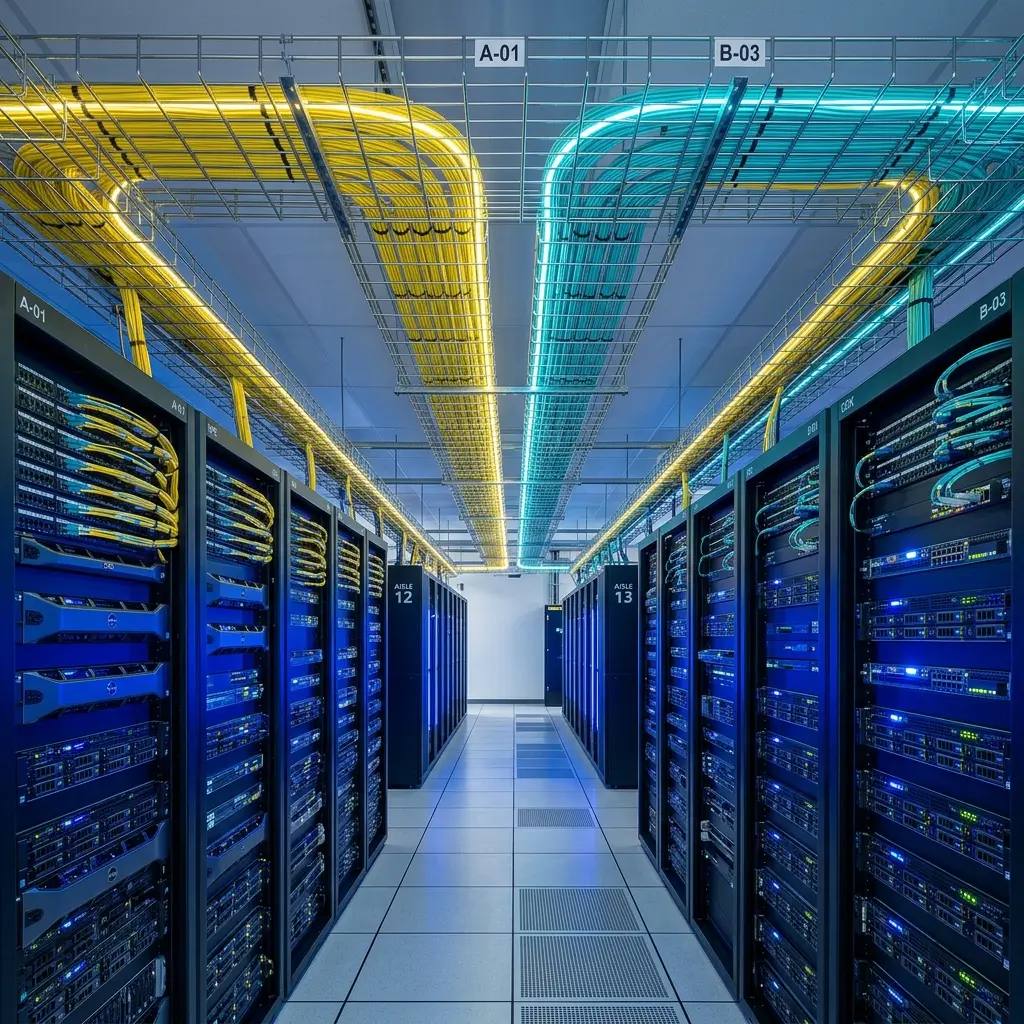
For enterprise businesses and colocation providers operating in the Columbus metro area, adhering to the absolute highest standards of structured cabling is no longer optional???it is a baseline requirement for survival. In this guide, Efficient Low Voltage Solutions breaks down the 2026 cabling standards required to keep Central Ohio data centers running at peak efficiency.
1. The Shift to High-Density Fiber Optics
Historically, Top-of-Rack (ToR) and End-of-Row (EoR) architectures relied heavily on copper (Cat6A) for switch-to-server connections. However, as AI workloads and machine learning clusters demand unprecedented throughput (400G and 800G switch fabrics), copper is becoming obsolete for core routing.
- High-Fibre-Count Trunks: Modern Columbus hyperscale facilities require massive fiber optic backbones. We are seeing a standard shift toward pre-terminated MTP/MPO fiber trunks containing 144, 288, or even 864 individual strands. This allows for rapid deployment and future scalability without needing to pull new conduit.
- OM4 and OM5 Multi-Mode: For short reaches within the same data hall, OM4 and the newer OM5 (Wideband Multimode Fiber) are the standards, capable of supporting Short Wavelength Division Multiplexing (SWDM) to push 100G over fewer physical fibers.
- OS2 Single-Mode: For linking separate data halls or connecting the facility to the Columbus fiber ring, OS2 single-mode fiber is mandatory due to its near-infinite bandwidth potential and low attenuation over long distances.
2. Airflow Management and Cable Routing
In a massive data center, thermal management is arguably more critical than bandwidth. Poorly managed cabling creates “air dams” that block the cold aisle containment systems from pushing chilled air to the servers, resulting in catastrophic overheating and massive energy waste.
- Overhead vs. Underfloor: While older facilities in Dublin and Worthington relied on raised floors, the modern 2026 standard dictates overhead cable trays. Suspending the heavy copper and fiber bundles from the ceiling via continuous cable trays (like Chatsworth or Snake Tray) frees up the underfloor plenum exclusively for cold air distribution.
- Strict Bend Radius Compliance: Fiber optic glass is fragile. If a bundle sags or is pulled too tightly around a 90-degree corner, it causes “micro-bends” that reflect the light signal back to the transceiver, causing data loss. BICSI standards require strict adherence to the manufacturer’s minimum bend radius, usually managed via cascading “waterfall” dropouts from the overhead trays into the racks.
3. Redundancy and Compliance in the Silicon Heartland
With Intel’s massive “Silicon Heartland” manufacturing campus driving regional growth, smaller enterprise data centers in Ohio must meet strict uptime SLAs (Service Level Agreements) to support the supply chain.
- A/B Path Routing: To achieve Tier III or Tier IV uptime certification (99.98% to 99.995% uptime), cabling must be physically separated. The “A” network path and “B” network path must never occupy the same conduit or tray. If a technician accidentally cuts the A-side fiber bundle, the B-side seamlessly handles the failover.
- Labeling Standards (TIA-606-C): In a facility with 100,000 individual cable drops, an unlabeled wire is a dead wire. Efficient Low Voltage Solutions adheres strictly to the TIA-606-C administration standard, ensuring every single cable, patch panel, and pathway is permanently labeled with machine-printed, wrap-around tags identifying its exact origin and destination.
Partner with Ohio’s Local Infrastructure Experts
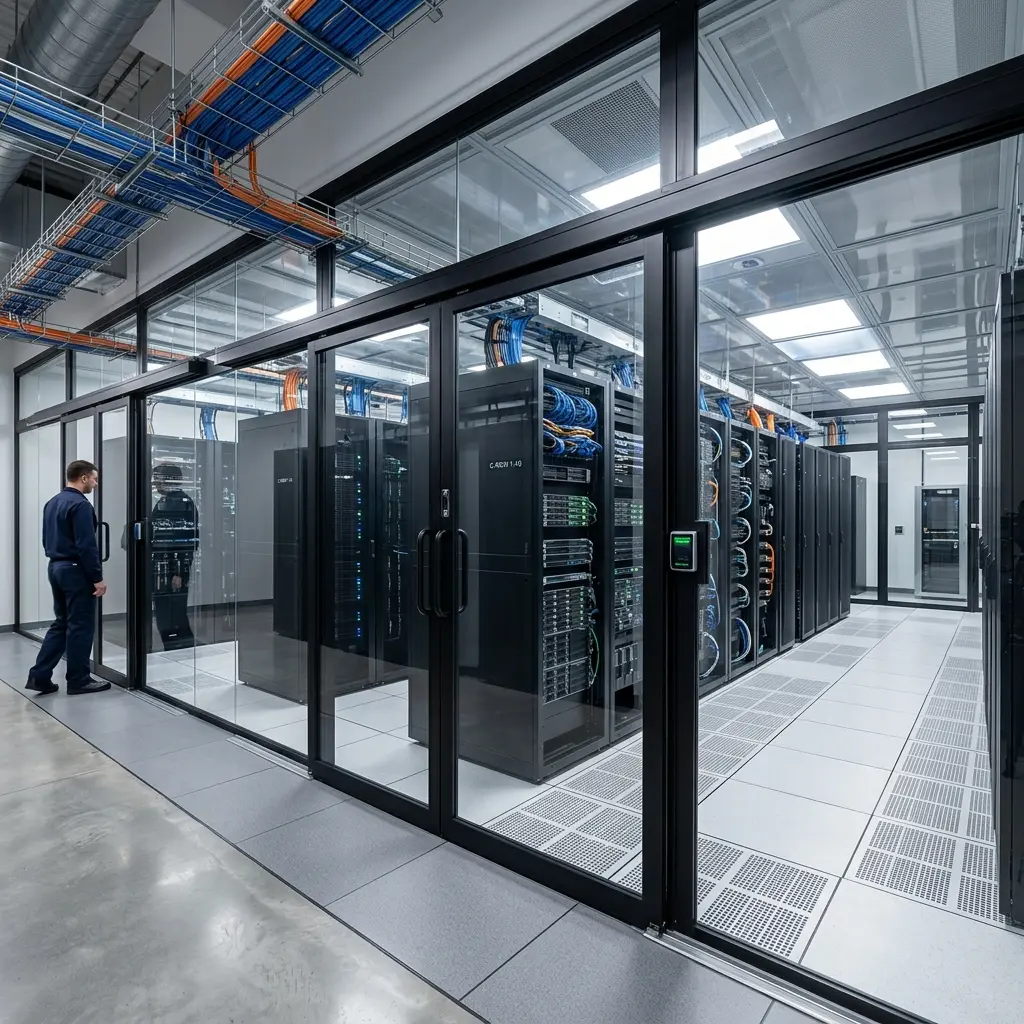
Building or retrofitting a data center in the Columbus, Ohio region requires a contractor who understands both the local building codes and the extreme performance demands of modern IT infrastructure. Contact Efficient Low Voltage Solutions today to engineer a structured cabling foundation that will support your facility’s growth for the next two decades.
Related Resources
Complete 2026 Infrastructure Guide
Welcome to our comprehensive guide. In this massive resource, we combine all our expert knowledge to give you a complete understanding of this topic.
Data Center Management: Best Practices for Reliable and Scalable Infrastructure
As businesses grow more dependent on digital systems, data center management becomes a critical part of maintaining performance, security, and uptime. Whether you’re running on-premise infrastructure, using colocation, or supporting hybrid environments, how your data center is managed directly impacts your daily operations.
But here???s what many businesses overlook:
Effective data center management doesn???t start with software???it starts with infrastructure.
In real-world environments, many ongoing ???management issues??? are actually the result of poor initial design???especially disorganized or outdated cabling systems that make even simple changes unnecessarily complex.
If your cabling is disorganized, your cooling is inefficient, or your layout isn???t scalable, even the best management tools won???t prevent downtime or performance issues.
This guide breaks down what data center management really involves???and how to build a system that stays reliable as your business grows.
What Is Data Center Management?
Data center management refers to the process of monitoring, maintaining, and optimizing all components of a data center environment, including:
- Network infrastructure
- Power systems
- Cooling systems
- Data Center Physical Security
- Servers and storage
- Cabling and connectivity
The goal is simple:
???? Ensure continuous uptime, efficient performance, and the ability to scale without disruption.
While many people associate management with dashboards and monitoring tools, the reality is this:
A well-managed data center is built on a well-designed physical foundation.
Why Data Center Management Matters for Business
Poorly managed infrastructure doesn???t just cause technical issues???it impacts your entire business.
Key risks of weak data center management:
- Unexpected downtime and lost productivity
- Slower system performance
- Increased maintenance costs
- Security vulnerabilities
- Limited ability to scale
On the other hand, a properly managed data center allows you to:
- Maintain consistent uptime
- Support business growth
- Improve operational efficiency
- Reduce long-term costs
In short, management is what turns infrastructure into a reliable business asset???not a liability.
The Core Components of Effective Data Center Management
To manage a data center effectively, you need to understand its key operational layers.
1. Network Infrastructure
This includes switches, routers, and???most importantly???your structured cabling system.
A clean, organized cabling infrastructure:
- reduces troubleshooting time
- improves airflow
- supports scalability
Without it, even simple changes can become complex and risky.
2. Power Management
Reliable power systems are essential for uptime.
This includes:
- Uninterruptible Power Supplies (UPS)
- Backup generators
- Power distribution units (PDUs)
Proper management ensures systems stay online during outages and power fluctuations.
3. Cooling and Environmental Control
Heat is one of the biggest threats to data center performance.
Effective cooling strategies:
- prevent overheating
- extend equipment lifespan
- improve energy efficiency
Poor airflow or unmanaged heat zones can quickly lead to system failures.
4. Physical Security
Protecting your infrastructure physically is just as important as cybersecurity.
This includes:
- Access control systems
- Surveillance
- Secure racks and cabinets
Only authorized personnel should have access to critical systems.
5. Monitoring and Maintenance
Monitoring tools help track:
- temperature
- power usage
- network performance
But tools alone aren???t enough???regular maintenance is what keeps systems running smoothly over time.
The Role of Structured Cabling in Data Center Management
One of the most overlooked aspects of data center management is structured cabling.
It???s not just about connectivity???it directly affects:
- system performance
- airflow and cooling
- troubleshooting speed
- future scalability
Well-designed structured cabling provides:
- clear labeling and organization
- easier upgrades and expansions
- reduced risk of human error
Poor cabling, on the other hand, leads to:
- tangled infrastructure
- longer downtime during fixes
- limited flexibility as your business grows
???? This is why structured cabling is considered the foundation of manageable infrastructure.
In many cases, what businesses identify as a performance or management issue can be traced back to cabling???because when your infrastructure isn???t organized, every upgrade, repair, or expansion becomes slower, riskier, and more expensive.
Common Data Center Management Challenges
Even well-built environments face challenges if not properly maintained.
1. Cable Congestion
Disorganized cabling restricts airflow and complicates maintenance, often making it difficult to trace connections or perform quick upgrades without disrupting other systems.
2. Inefficient Cooling
Hot spots develop when airflow is not properly managed, leading to uneven temperatures that can reduce equipment lifespan and increase the risk of unexpected shutdowns.
3. Power Overload Risks
Improper load balancing can lead to system failures, especially when circuits are pushed beyond capacity or backup systems are not properly configured to handle peak demand.
4. Lack of Documentation
Without proper labeling and records, troubleshooting becomes time-consuming, increasing downtime as technicians spend valuable time identifying connections and system dependencies.
5. Scalability Limitations
Infrastructure that wasn???t designed for growth quickly becomes outdated, making expansions more complex, costly, and disruptive than necessary.
Most of these issues trace back to one root cause:
???? Poor planning during the initial infrastructure setup.
Best Practices for Effective Data Center Management
To maintain a reliable and scalable data center, follow these proven strategies that help prevent issues before they start and keep operations running smoothly over time:
1. Design for Scalability from the Start
Plan infrastructure that can grow with your business???not just meet current needs???so you can expand capacity without major redesigns or costly disruptions later on.
2. Invest in Structured Cabling
Organized cabling simplifies management and reduces long-term costs by making it easier to trace connections, perform upgrades, and maintain consistent performance across your network.
3. Separate Hot and Cold Air Paths
Improve cooling efficiency with proper airflow design, reducing heat buildup and ensuring equipment operates within safe temperature ranges.
4. Implement Proactive Monitoring
Identify issues before they become critical problems by continuously tracking system performance, temperature, and power usage in real time.
5. Maintain Clear Documentation
Label everything and keep records updated for faster troubleshooting, allowing your team to quickly locate connections and resolve issues with minimal downtime.
6. Schedule Regular Maintenance
Routine inspections prevent unexpected failures by catching wear, inefficiencies, or risks early before they impact operations.
The Link Between Infrastructure and Long-Term Performance
Here???s the reality most businesses discover too late:
You can???t ???manage your way out??? of poor infrastructure.
This is why companies that invest in properly designed structured cabling from the start experience fewer disruptions, faster troubleshooting, and significantly more predictable growth over time.
No software or monitoring tool can fix:
- messy cabling
- poor layout design
- inadequate cooling
- limited capacity planning
That???s why successful data center management always starts with:
???? Proper design, installation, and organization
When your infrastructure is built correctly, management becomes easier, faster, and more predictable.
How to Know If Your Data Center Needs Improvement
You may need to reassess your data center setup if you notice recurring performance, organization, or scalability issues that suggest underlying infrastructure limitations:
- Frequent downtime or slow performance ??? Systems experience interruptions or lag that impact productivity, often pointing to underlying infrastructure strain rather than isolated software issues.
- Difficulty tracing cables or connections ??? Troubleshooting becomes time-consuming because cable paths are unclear, unorganized, or poorly labeled, slowing down even simple maintenance tasks.
- Overheating equipment or inconsistent temperatures ??? Certain areas of the data center run hotter than others, indicating poor airflow design or inadequate cooling distribution.
- Limited space for expansion ??? Physical or logical layout constraints make it difficult to add new equipment without reorganizing existing systems.
- Increasing maintenance complexity ??? Routine tasks take longer and require more effort due to lack of structure, documentation, or standardized installation practices.
These are signs that your infrastructure???and not just your management???needs attention.
Summary and Next Steps
Effective data center management is not just about monitoring systems???it is about building and maintaining an infrastructure that supports reliability, scalability, and long-term performance. From structured cabling and power distribution to cooling and security, every component must work together to create a stable and efficient environment that can grow with your business.
3???5 realistic next steps you can take
- Evaluate your current infrastructure layout and identify inefficiencies
- Assess your cabling organization and scalability readiness
- Review cooling and airflow performance
- Ensure proper documentation and labeling are in place
- Consult with infrastructure experts before scaling or upgrading
In the end, strong data center management starts with a solid foundation. If your infrastructure is built right, everything else becomes easier to maintain and scale. Efficient Low Voltage Solutions & System Integration specializes in structured cabling and data infrastructure systems designed for performance, organization, and long-term growth???helping your business eliminate downtime risks and build a data environment that???s ready for what???s next.
The Importance of Data Center Cooling for Reliable IT Operations
In today???s digital era, businesses rely heavily on data centers to manage, store, and process critical information. These high-performance environments house servers, storage systems, and networking equipment that operate around the clock. While much attention is often given to the hardware and software within these facilities, one crucial component that directly affects performance, reliability, and energy efficiency is data center cooling. Proper cooling ensures that servers and other IT infrastructure maintain optimal operating temperatures, preventing equipment failure, reducing energy consumption, and safeguarding business continuity.
This article explores the importance of data center cooling, the challenges associated with it, common cooling solutions, and best practices for maintaining a reliable IT environment.
Why Data Center Cooling Matters
Data centers generate substantial amounts of heat due to densely packed servers and continuous computational activity. Without effective cooling systems, equipment temperatures can quickly exceed safe operating limits. Overheating not only reduces the lifespan of servers and storage devices but also increases the risk of system downtime, which can have costly consequences for businesses.
Some of the key risks associated with inadequate data center cooling include:
- Equipment Overheating: Servers that operate above recommended temperatures are prone to failure, which can result in unexpected downtime.
- Reduced Hardware Lifespan: Persistent high temperatures accelerate wear and tear on components, requiring more frequent replacements and increasing operational costs.
- Increased Energy Costs: Inefficient cooling systems may consume excessive energy while failing to maintain consistent temperatures, leading to higher utility bills.
- Data Loss or Corruption: Overheated systems may malfunction, compromising critical data integrity and causing business disruptions.
By implementing proper cooling strategies, organizations can mitigate these risks and maintain a stable and secure IT infrastructure.
Signs Your Data Center May Be Overheating
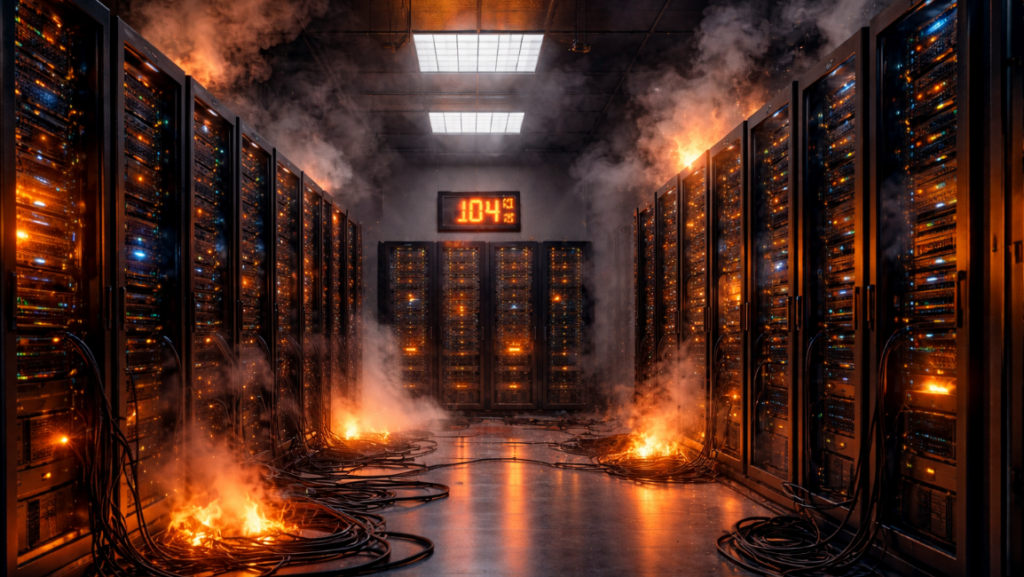
Even a well-designed data center can experience cooling issues if not monitored properly. Recognizing the early signs of overheating is crucial to prevent equipment failure, downtime, and costly repairs. Some common indicators include:
- Frequent System Crashes or Slowdowns: Overheated servers may throttle performance or shut down unexpectedly to prevent damage, impacting business operations.
- Unusual Fan Activity: Loud or constantly running server fans often indicate that systems are struggling to maintain optimal temperatures.
- Temperature Spikes in Server Racks: Uneven cooling or hot spots can cause certain racks to become significantly warmer than others, putting hardware at risk.
- Rising Energy Costs: Inefficient cooling systems often consume excessive energy, which can be a sign that the environment is working harder to compensate for overheating issues.
- Hardware Failure: Premature component failure or increased maintenance needs can indicate chronic thermal stress on servers and storage devices.
Proactively monitoring temperature and environmental conditions, along with performing regular maintenance, can help identify these signs early. Businesses that respond promptly can prevent downtime, prolong equipment life, and maintain consistent IT performance.
Common Data Center Cooling Challenges
Managing temperature and airflow within a data center presents several unique challenges. Understanding these obstacles is essential for developing effective cooling solutions.
- High-Density Server Racks: Modern data centers often house high-density racks with numerous servers in a compact space. Concentrated heat in these areas, known as ???hot spots,??? can cause uneven temperature distribution if not properly managed.
- Large Facility Size: In expansive facilities, cooling efficiency may vary across different zones. Ensuring consistent airflow and temperature regulation throughout the entire data center is a critical concern.
- Balancing Energy Efficiency and Performance: While maintaining proper cooling is vital, energy efficiency must also be considered. Overcooling can waste electricity and increase operational costs, whereas undercooling jeopardizes system reliability.
- Integration with Existing Infrastructure: Retrofitting cooling solutions into an existing data center can be complex. Compatibility with current equipment and minimizing operational disruption are significant factors to address.
These challenges highlight why businesses should prioritize professional planning and installation when designing data center cooling systems.
Types of Data Center Cooling Solutions
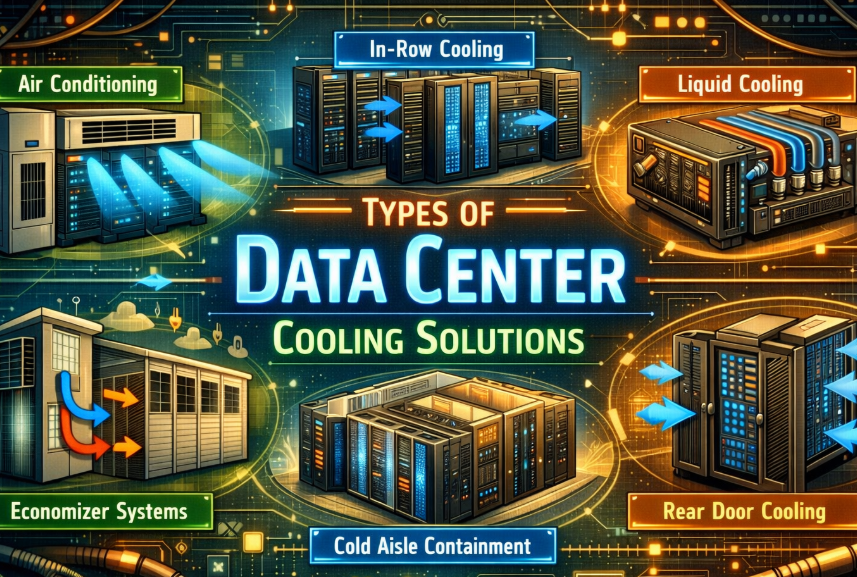
There are several cooling strategies employed in modern data centers, each with its advantages depending on facility size, server density, and energy goals.
1. Air-Based Cooling
Air-based systems remain the most widely used solution in data centers. Common methods include:
- Computer Room Air Conditioning (CRAC) Units: These specialized air conditioners maintain consistent temperature and humidity levels.
- Hot and Cold Aisle Containment: By separating hot and cold airflow paths, this method improves cooling efficiency and reduces energy waste.
- Raised Floor Systems: Cool air is delivered through perforated tiles to maintain even distribution and prevent hot spots.
2. Liquid Cooling
Liquid cooling has emerged as an efficient alternative to traditional air-based methods, particularly for high-density environments. This approach uses liquid to transfer heat away from critical components. Techniques include:
- Direct-to-Chip Cooling: Coolant is circulated directly to servers, providing targeted heat removal.
- Immersion Cooling: Entire servers are submerged in a non-conductive liquid, offering highly efficient temperature control and reduced energy consumption.
3. Hybrid Solutions
Some facilities adopt hybrid approaches, combining air and liquid cooling systems to balance efficiency, performance, and cost. Hybrid systems can be particularly effective for facilities with variable workloads or high-density racks.
Implementing the right cooling solution depends on the specific needs of the data center, including equipment layout, energy objectives, and operational requirements.
Emerging Trends in Data Center Cooling Technology
As data center demands grow, businesses are adopting innovative cooling solutions to improve efficiency, reliability, and sustainability. Some emerging trends include:
- AI-Driven Cooling Systems: Artificial intelligence algorithms analyze real-time environmental data to optimize airflow, fan speeds, and cooling unit operation. This reduces energy consumption while maintaining ideal temperatures.
- Liquid Immersion Cooling: Servers are submerged in non-conductive liquid to dissipate heat more efficiently than traditional air-based methods, offering higher energy efficiency and lower noise levels.
- IoT-Based Monitoring and Control: Internet of Things (IoT) sensors provide real-time temperature, humidity, and airflow data, allowing for predictive maintenance and faster response to potential issues.
- Sustainable Cooling Solutions: Innovative strategies, such as using outside air for free cooling or employing advanced chillers with lower energy consumption, help data centers reduce their environmental footprint.
- High-Density Rack Optimization: Cooling solutions are being designed specifically for high-density server racks, ensuring hot spots are minimized and airflow is managed effectively.
By staying abreast of these trends, organizations can implement cutting-edge cooling solutions that enhance performance, reduce operational costs, and support long-term scalability. Efficient Low Voltage Solutions & System Integration specializes in incorporating these advanced technologies into custom data center cooling systems to meet each client???s unique requirements.
Benefits of Proper Data Center Cooling
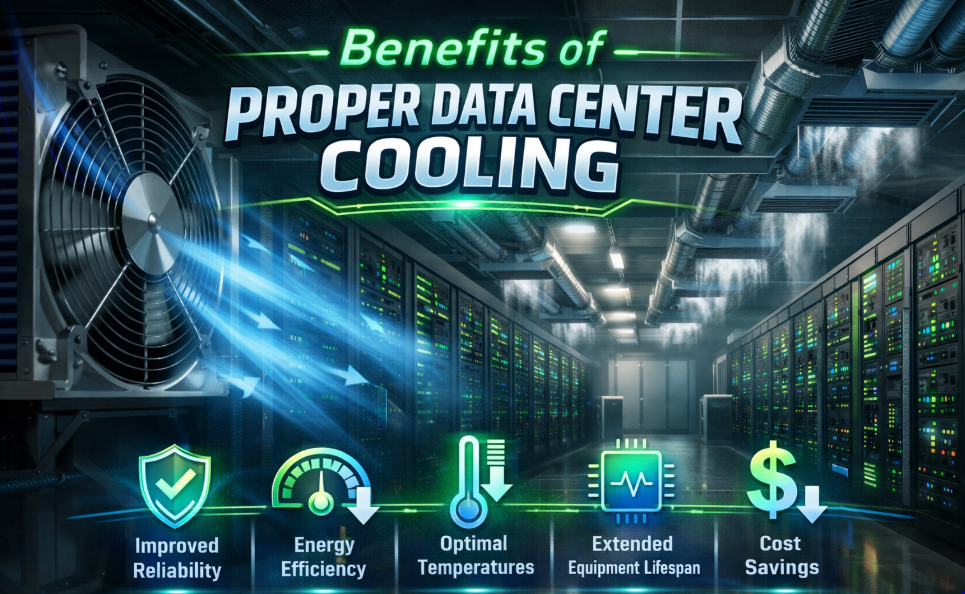
Effective data center cooling provides numerous advantages, both operational and financial:
- Enhanced Reliability and Uptime: Maintaining optimal temperatures ensures servers and storage devices operate without interruption, minimizing downtime risks.
- Reduced Energy Costs: Modern cooling systems are designed to maximize efficiency, lowering overall energy consumption.
- Prolonged Hardware Life: Proper thermal management reduces wear on components, extending their operational lifespan and reducing replacement costs.
- Improved Performance and Efficiency: Servers operating within ideal temperature ranges perform optimally, supporting faster processing and smoother operations.
Businesses that invest in reliable cooling infrastructure can safeguard their IT environment while optimizing operational expenses and performance.
Why Professional Installation Matters
While some organizations attempt to manage data center cooling in-house, professional installation and maintenance offer significant advantages:
- Expert Planning: Specialists assess the facility, design airflow patterns, and recommend cooling methods tailored to the data center???s requirements.
- Optimized Installation: Proper setup of CRAC units, airflow containment systems, and liquid cooling solutions ensures maximum efficiency.
- Ongoing Support: Professionals provide monitoring, preventive maintenance, and troubleshooting to sustain optimal performance.
Efficient Low Voltage Solutions & System Integration specializes in customized data center cooling systems that align with business goals, ensuring reliability, security, and energy efficiency. Their expert teams design, install, and optimize cooling solutions to prevent downtime, reduce operational costs, and support long-term scalability.
Best Practices for Ongoing Cooling Efficiency
Even after professional installation, maintaining effective data center cooling requires continuous attention. Best practices include:
- Regular Maintenance and Monitoring: Frequent inspections, cleaning, and performance checks ensure that cooling systems operate efficiently.
- Temperature and Humidity Control: Monitoring environmental conditions helps prevent fluctuations that can stress equipment.
- Redundant Systems: Backup cooling solutions protect critical operations in the event of equipment failure.
- Energy Efficiency Measures: Implementing airflow optimization, variable speed fans, and energy-efficient cooling units reduces electricity consumption without compromising reliability.
By adhering to these practices, organizations can maintain a stable IT environment, extend equipment lifespan, and minimize operational disruptions.
Wrapping Up
Data center cooling is more than just a supportive system???it is a critical component of a reliable, high-performing IT infrastructure. Overheating, equipment failure, and energy inefficiency can jeopardize business operations, making professional planning and implementation essential.
Organizations that invest in proper cooling solutions benefit from enhanced system reliability, energy savings, and prolonged hardware life. For businesses seeking expert guidance, Efficient Low Voltage Solutions & System Integration delivers comprehensive data center solutions, including assessment, design, installation, and ongoing optimization.
Ensure your data center operates at peak performance while safeguarding your critical IT assets. Contact Efficient Low Voltage Solutions & System Integration today for tailored cooling solutions that support reliable, efficient, and secure IT operations.
Why Data Center Redundancy Is Critical for Business Continuity
In today???s digital economy, businesses rely heavily on uninterrupted access to data, applications, and network services. Whether you operate an e-commerce platform, manage financial transactions, or simply store essential business records online, even a short period of downtime can disrupt operations and damage your reputation.
This is where data center redundancy becomes a vital component of modern IT infrastructure. Redundancy ensures that if one system fails, another system immediately takes over, keeping services available without interruption. For business owners and organizations planning to invest in data center solutions, understanding redundancy is essential to building an infrastructure that supports long-term stability, reliability, and growth.
This article explores why redundancy matters, how it works in a data center environment, and why it should be a key consideration when designing or upgrading your IT infrastructure.
What is Data Center Redundancy?
At its core, data center redundancy means creating backup systems that can automatically replace critical components when failures occur. Instead of relying on a single piece of equipment or connection, redundant systems ensure that multiple components can support the same function.
This approach prevents a single point of failure, which is one of the biggest risks in IT infrastructure.
For example, if a server, network switch, or power supply fails in a non-redundant environment, operations may stop entirely until the issue is resolved. In a redundant environment, backup systems take over immediately, ensuring business processes continue running smoothly.
Redundancy can apply to several critical data center components, including:
- Power systems
- Network connectivity
- Cooling systems
- Storage infrastructure
- Servers and virtualization platforms
By implementing redundancy across these layers, businesses can maintain continuous availability and minimize the risk of service disruption.
The Cost of Downtime for Modern Businesses
Many organizations underestimate the financial and operational impact of downtime until it happens.
Even brief outages can lead to:
- Lost revenue from interrupted transactions
- Reduced productivity among employees
- Damage to customer trust and brand reputation
- Compliance issues for regulated industries
- Data loss or corruption
For industries that depend on real-time operations???such as healthcare, finance, logistics, and online retail???the consequences of downtime can be even more severe.
Redundant infrastructure helps mitigate these risks by ensuring that failures do not immediately translate into business interruptions.
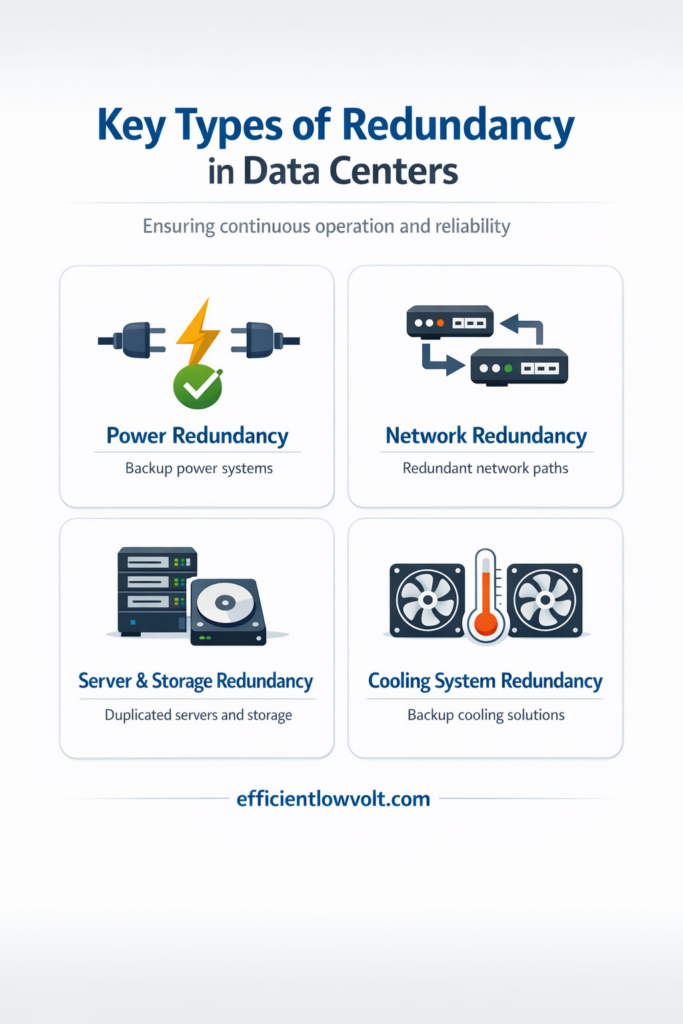
Key Types of Redundancy in Data Centers
A well-designed data center incorporates redundancy at multiple levels. Each layer protects a different aspect of your IT environment.
Power Redundancy
Power interruptions are among the most common causes of data center downtime. Redundant power systems ensure that equipment continues running even if the primary power source fails.
Typical power redundancy solutions include:
- Uninterruptible Power Supplies (UPS) that provide instant backup power
- Backup generators that activate during extended outages
- Dual power feeds from separate electrical sources
- Redundant power distribution units
These systems work together to ensure that servers and networking equipment remain operational even during unexpected electrical failures.
Network Redundancy
Network connectivity is another critical component of business continuity. If a network switch, router, or connection fails, it can disrupt access to applications and data.
Network redundancy helps prevent this by providing alternate paths for data traffic.
Examples of network redundancy include:
- Multiple network switches
- Redundant fiber or Ethernet connections
- Automatic failover routing
- Diverse internet service providers
With these safeguards in place, network traffic can quickly reroute through an alternate path if one connection becomes unavailable.
Server and Storage Redundancy
Servers and storage systems host the applications and data that businesses rely on every day. A failure in these systems can halt operations unless backup resources are available.
Redundant server and storage strategies often include:
- Server clustering, where multiple servers share workloads
- RAID storage configurations, which protect against disk failure
- Virtual machine failover systems
- Real-time data replication
These technologies ensure that critical applications remain accessible even when hardware components fail.
Cooling System Redundancy
Data centers generate significant heat due to the continuous operation of servers and networking equipment. Without proper data center cooling, systems can overheat and shut down.
Redundant cooling systems help maintain safe operating temperatures by ensuring backup cooling capacity is available if one unit fails.
This may include:
- Additional HVAC units
- Redundant cooling loops
- Backup air handling systems
- Environmental monitoring systems
Maintaining stable temperatures protects equipment performance and extends the lifespan of critical hardware.
Redundancy Design Models Explained
Redundancy is often implemented using specific design models that define how backup systems are structured.
N+1 Redundancy
In an N+1 configuration, the system includes one additional component beyond what is required for normal operation.
For example:
- If a data center needs three cooling units to operate efficiently, an N+1 setup would install four units.
If one unit fails, the extra unit ensures the system continues functioning.
2N Redundancy
A 2N configuration doubles the required infrastructure, providing a fully independent backup system.
For example:
- Two complete power systems
- Two separate network paths
- Two independent cooling infrastructures
This design offers a higher level of reliability but typically involves greater upfront investment.
N+2 Redundancy
An N+2 configuration includes two additional backup components instead of one.
This design provides extra resilience for environments where uptime is extremely critical.
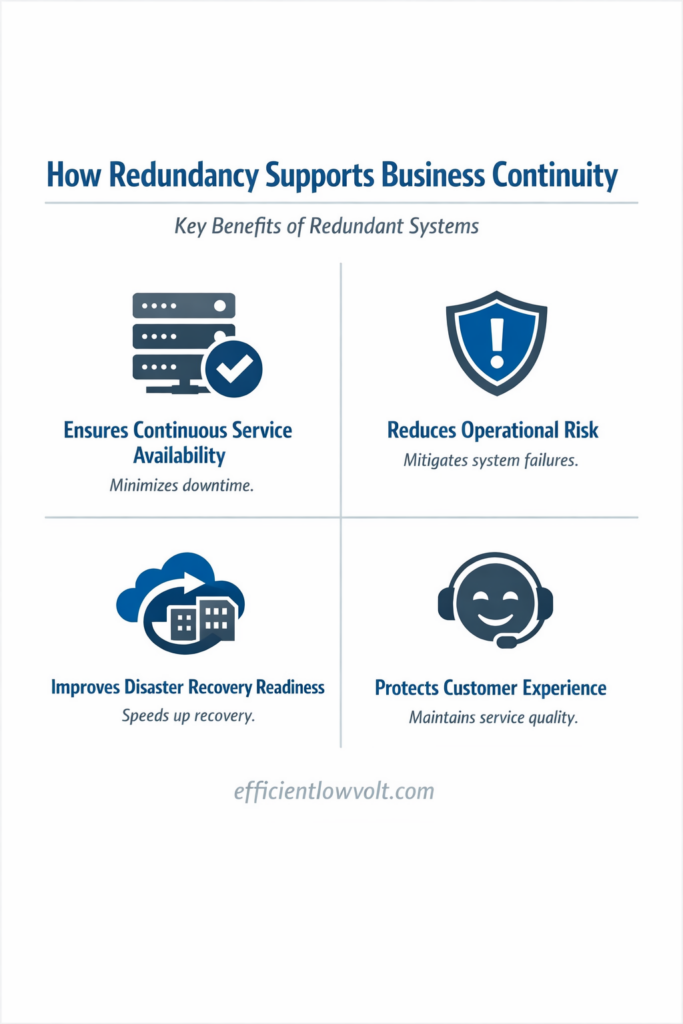
How Redundancy Supports Business Continuity
Business continuity refers to an organization???s ability to maintain operations during disruptions. Redundant infrastructure plays a crucial role in achieving this goal.
Here are several ways redundancy directly supports business continuity:
1. Ensures Continuous Service Availability
Redundant systems automatically take over when failures occur, allowing applications and services to remain accessible to employees and customers.
2. Reduces Operational Risk
By eliminating single points of failure, businesses significantly reduce the likelihood of unexpected downtime.
3. Improves Disaster Recovery Readiness
Redundancy supports disaster recovery strategies by ensuring that systems can continue operating even during equipment failures or localized disruptions.
4. Protects Customer Experience
Customers expect reliable digital services. Redundant infrastructure helps businesses maintain consistent service delivery and avoid frustrating outages.
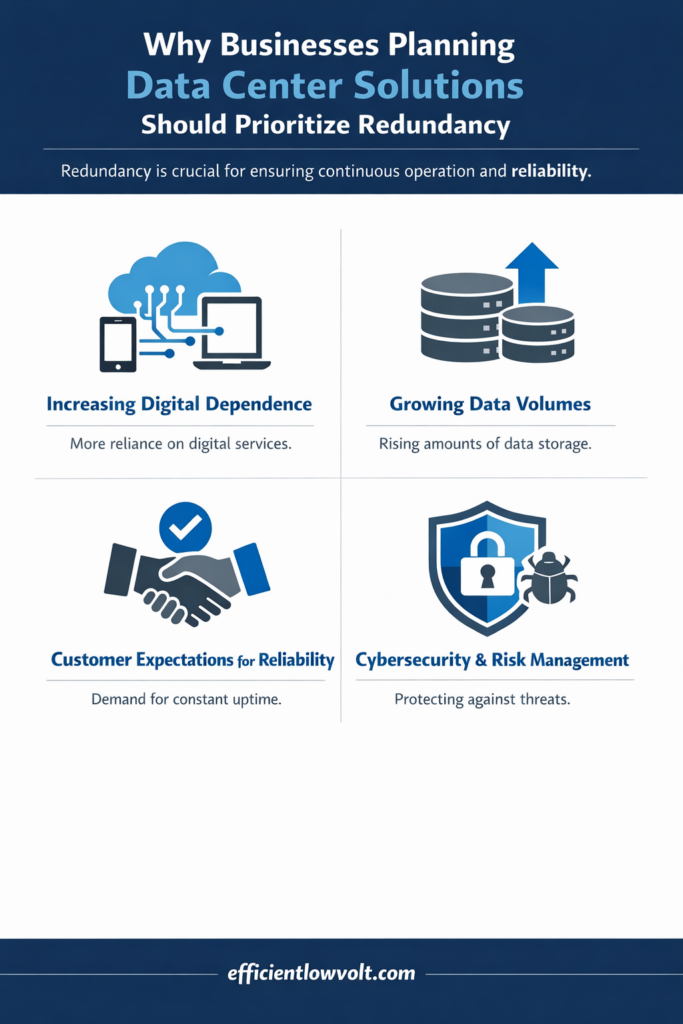
Why Businesses Planning Data Center Solutions Should Prioritize Redundancy
Organizations that are planning to build or upgrade their data infrastructure should treat redundancy as a fundamental design principle rather than an optional feature.
Several factors make redundancy especially important today.
Increasing Digital Dependence
Most business operations now rely on digital platforms, cloud services, and data-driven systems. A failure in IT infrastructure can affect nearly every department.
Growing Data Volumes
Businesses generate and store more data than ever before. Protecting that data requires resilient infrastructure that can withstand hardware failures.
Customer Expectations for Reliability
Customers expect services to be available at all times. Even short outages can lead to dissatisfaction and lost trust.
Cybersecurity and Risk Management
Redundant systems can also improve security resilience by allowing businesses to isolate compromised components without shutting down operations.
Best Practices for Implementing Data Center Redundancy
When designing a redundant infrastructure, careful planning is essential. Simply adding extra equipment is not enough???systems must be configured properly to ensure seamless failover.
Consider the following best practices:
- Assess Critical Systems: Identify which applications and services are most important to your business operations. Prioritize redundancy for these systems.
- Eliminate Single Points of Failure: Review your infrastructure to identify areas where a single component failure could cause downtime.
- Design for Scalability: Redundant systems should support future expansion as your business grows.
- Monitor Infrastructure Continuously: Monitoring tools help detect issues early and ensure backup systems are functioning correctly.
- Test Failover Procedures: Regular testing ensures that redundant systems activate properly when needed.
The Long-Term Value of Redundant Data Infrastructure
Although redundancy may increase the initial cost of a data center project, it provides significant long-term benefits.
Businesses that invest in redundant infrastructure gain:
- Greater operational stability
- Reduced risk of financial losses due to downtime
- Improved disaster recovery capabilities
- Stronger customer confidence
- Scalable infrastructure for future growth
Ultimately, redundancy is not just about preventing failures???it is about creating a reliable foundation for digital business operations.
Building a More Resilient Data Environment
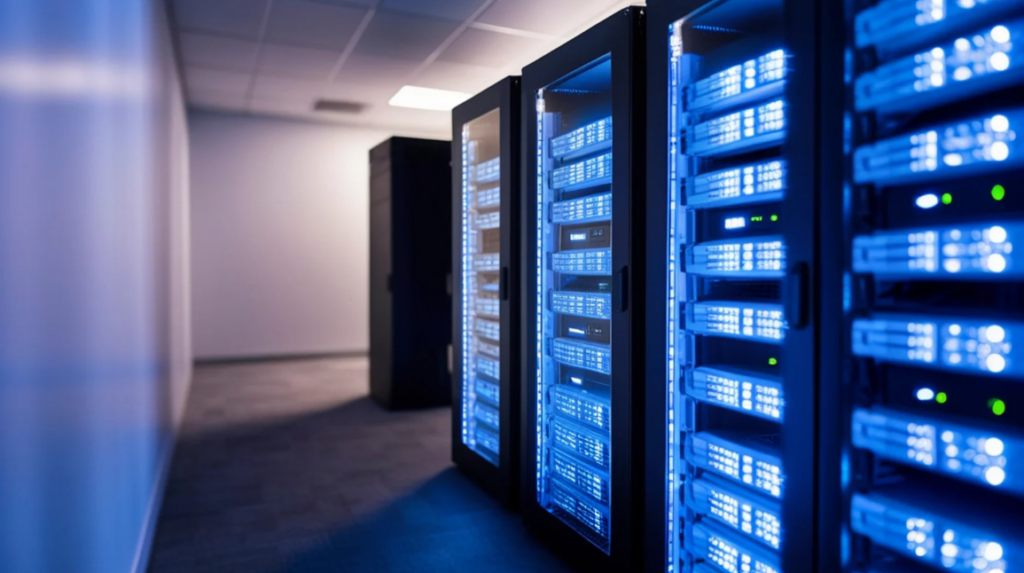
As businesses continue to depend on digital technologies, the need for resilient IT infrastructure becomes more important than ever. Data center redundancy ensures that critical systems remain available even when unexpected issues arise.
By implementing redundancy across power, network, server, and cooling systems, organizations can protect their operations, safeguard customer experiences, and support long-term growth.
Ready to Strengthen Your Data Infrastructure?
We hope this article helped you better understand how data center redundancy supports reliable and continuous business operations.
If you are planning a new data center environment or upgrading your existing infrastructure, having the right design and implementation strategy can make a significant difference in performance and reliability.
At Efficient LowVolt Solutions, we specialize in designing and implementing reliable low-voltage and data infrastructure systems tailored to your business needs. From structured cabling and network systems to scalable data center environments, our team focuses on delivering solutions that support long-term efficiency and stability.
If you have questions about data center redundancy or infrastructure planning, our team is always ready to help. Feel free to contact Efficient LowVolt Solutions anytime to learn how we can support your business with dependable and future-ready technology solutions.
What Is a Data Center and Why Does It Matter for Your Business
In today???s digital-first world, the term ???data center??? gets thrown around a lot???but what does it really mean? And more importantly, why should it matter to your business? Whether you run a startup or an established enterprise, understanding the role of data centers is no longer optional. These high-tech environments quietly power everything from your cloud storage to real-time transactions, and they play a central role in security, performance, and growth.
What Is a Data Center?
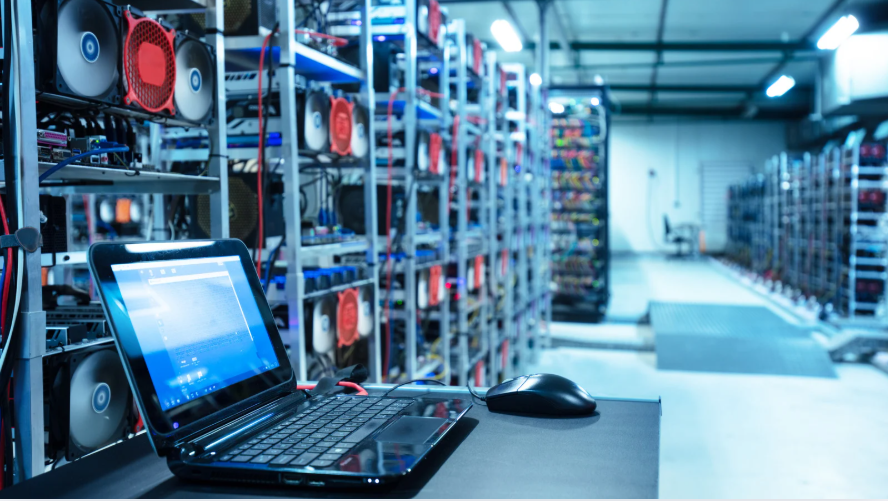
At its core, a data center is a secure, centralized facility???either physical, virtual, or a combination of both???where an organization???s IT infrastructure lives and operates. Often compared to the central nervous system of a business, the data center is responsible for hosting critical applications, storing and processing data, and managing network connectivity to internal and external systems. It???s the unseen engine that keeps your digital services running efficiently and reliably.
Modern businesses???whether small startups or global enterprises???rely on data centers to support operations such as cloud computing, email communication, e-commerce, customer relationship management (CRM), and more. As business technology becomes more advanced and data-driven, the demand for resilient, scalable, and secure data center environments grows.
Key Components of a Data Center:
- Servers: These machines execute applications, run workloads, and support everything from websites to enterprise systems.
- Storage Systems: Securely hold structured or unstructured data for ongoing access, backups, and disaster recovery.
- Network Infrastructure: Switches, routers, and firewalls connect systems and control the secure flow of information.
- Power Systems: Redundant power feeds, UPS units, and generators keep the facility running without interruption.
- Cooling Systems: Precision cooling and environmental controls maintain safe temperatures for hardware longevity.
- Security Systems: Surveillance cameras, biometric access control, and environmental sensors protect against physical and digital threats.
Together, these systems ensure constant availability, optimal performance, and robust data protection???making the data center a vital foundation of digital success.
Types of Data Centers
Not all data centers are created equal. Depending on business needs, location, and regulatory demands, there are different models:
1. Enterprise (On-Premise) Data Centers
Built and operated by a single organization, these offer full control but require significant investment in infrastructure, power, and maintenance.
2. Colocation Facilities
Businesses rent space and power in a third-party data center while managing their own servers and systems. It???s a cost-effective way to gain access to top-tier infrastructure.
3. Cloud Data Centers
Operated by providers like AWS, Google Cloud, or Microsoft Azure, these offer scalable, pay-as-you-go infrastructure that can be accessed globally.
4. Edge Data Centers
Smaller facilities located closer to end-users or devices to reduce latency and support real-time processing. Critical for IoT, smart cities, and autonomous systems.
Why Data Centers Matter More Than Ever
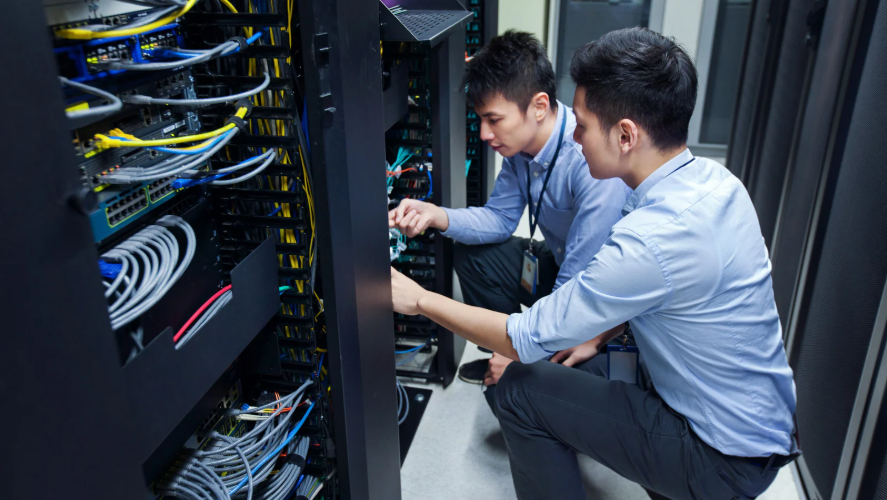
In 2025, data centers are no longer a luxury or back-end concern???they are a mission-critical foundation of modern business. As operations become increasingly digital, businesses must be available 24/7, capable of scaling quickly, and secure against ever-evolving cyber threats. Data centers make all of that possible.
Business Continuity
Downtime isn???t just inconvenient???it???s expensive. A well-architected data center ensures continuous uptime by leveraging redundant systems, backup generators, and failover protocols. Whether facing a power outage, hardware failure, or cyberattack, businesses with resilient infrastructure can maintain service availability and avoid revenue loss or customer dissatisfaction.
Data Security and Compliance
With cyberattacks and data breaches on the rise, security and regulatory compliance are top priorities. Modern data centers are designed with multi-layered defenses, including firewalls, intrusion detection, biometric access control, and encrypted data storage. They help businesses meet strict regulations like GDPR, HIPAA, and PCI-DSS, while also maintaining detailed audit logs and access records.
Scalability for Growth
Today???s organizations need infrastructure that grows with them. Whether you’re expanding into new markets, deploying artificial intelligence tools, or increasing your user base, scalable data centers allow you to add computing resources on demand???without compromising performance.
Digital Transformation
From cloud platforms to IoT to automation, every modern digital initiative relies on a robust IT backbone. Data centers enable seamless integration of tools, remote workforce capabilities, and real-time analytics, allowing businesses to innovate faster and serve customers better.
Key Features of a Modern, Efficient Data Center
A data center built for today???and prepared for the future???must deliver more than basic storage and computing power. It needs to combine resilience, performance, sustainability, and flexibility to support an ever-evolving business landscape. Whether you’re running core applications, hosting customer data, or managing global communications, a modern data center provides the infrastructure backbone your organization can count on.
High Uptime and Redundancy
Reliability is non-negotiable. Tier III and Tier IV data centers are designed with multiple power and network paths, enabling 99.99% uptime even during maintenance or failure events. Redundant systems???including power feeds, cooling, and failover servers???help avoid costly downtime.
Energy Efficiency
Sustainability and operational cost control go hand in hand. Efficient data centers utilize smart HVAC systems, LED lighting, hot/cold aisle containment, and renewable energy sources. Metrics like Power Usage Effectiveness (PUE) are closely monitored to minimize environmental impact while maximizing performance.
Cybersecurity Safeguards
Today???s threats require more than antivirus software. Advanced data centers implement zero-trust security models, firewalls, multi-factor authentication, intrusion detection systems (IDS), and endpoint protection. Physical access is tightly controlled through biometrics and 24/7 surveillance.
Scalability
Modern data centers feature modular layouts and cloud-ready architecture, allowing businesses to scale up or down quickly. Need more storage or computing power? It???s a seamless process???not a disruptive overhaul.
Remote Monitoring
Real-time dashboards and analytics empower IT teams to monitor system health, bandwidth, and security events from anywhere. This is especially crucial for organizations with remote or hybrid workforces.
Trends in 2025 and Beyond
The data center landscape is evolving rapidly, driven by emerging technology and sustainability goals.
Green Data Centers
Eco-conscious businesses are turning to renewable energy sources, liquid cooling, and carbon-neutral operations to meet environmental standards.
Hybrid Cloud Integration
Companies are combining cloud and on-prem solutions to balance performance, cost, and compliance???especially in industries like finance and healthcare.
AI & Automation
Intelligent systems monitor workloads, detect anomalies, and optimize power usage automatically???reducing manual oversight.
Edge Computing Growth
With devices generating more data than ever, processing at the edge reduces latency and congestion, enabling real-time insights in smart factories, logistics, and urban infrastructure.
What to Consider When Evaluating Your Business???s Data Needs
Before investing in a new data center or upgrading your existing infrastructure, it???s essential to take a step back and assess your organization???s unique requirements. Data infrastructure is not one-size-fits-all. The right solution should align with your short-term goals and long-term strategy???whether that means scaling up fast, reducing risks, or gaining operational efficiency.
Start by asking the right questions:
Do you need to scale quickly?
If your business is growing or expects seasonal spikes in demand, a hybrid or cloud-based model offers the flexibility to increase capacity without major capital investment. These models let you scale resources as needed???paying only for what you use.
Are you facing security or compliance challenges?
Highly regulated industries???like finance, healthcare, or legal???often require stricter data handling procedures. On-premise or colocation facilities provide more direct control over physical and digital security, helping you meet compliance standards with confidence.
Is your current system limiting growth?
Legacy infrastructure can hold you back. If performance bottlenecks or limited capacity are slowing down projects, a modern data center can offer higher bandwidth, better storage, and improved compute power.
Do you have the in-house resources to manage IT infrastructure?
Not every business has a full IT team. Outsourcing to a managed service provider or colocation facility can provide access to expert support, real-time monitoring, and 24/7 availability???without the internal overhead.
By thoughtfully evaluating your needs, you???ll choose a data infrastructure that grows with your business and supports long-term innovation.
Final Thoughts
A data center isn???t just a facility???it???s the beating heart of your digital operations. It powers innovation, keeps your systems secure, and ensures you???re always connected. In 2025 and beyond, businesses that understand and invest in smart, scalable data infrastructure will gain a critical edge over those who don’t.
The question isn???t if you need a data center strategy. It???s which one is right for you???and who???s going to help you get there.Ready to build or modernize your data infrastructure? Connect with Efficient Low Voltage Solutions & System Integration today. Our experts can design a data center strategy tailored to your business size, budget, and future goals. Whether you’re building, expanding, or re-evaluating your infrastructure, the right partner can help you navigate the complexity and deliver long-term value.